Skip to content
View in the app

A better way to browse. Learn more.

RenoTalk.com ™

A full-screen app on your home screen with push notifications, badges and more.

To install this app on iOS and iPadOS
  1. Tap the Share icon in Safari
  2. Scroll the menu and tap Add to Home Screen.
  3. Tap Add in the top-right corner.
To install this app on Android
  1. Tap the 3-dot menu (⋮) in the top-right corner of the browser.
  2. Tap Add to Home screen or Install app.
  3. Confirm by tapping Install.

RichZ

Members
  • Joined

  • Last visited

Everything posted by RichZ

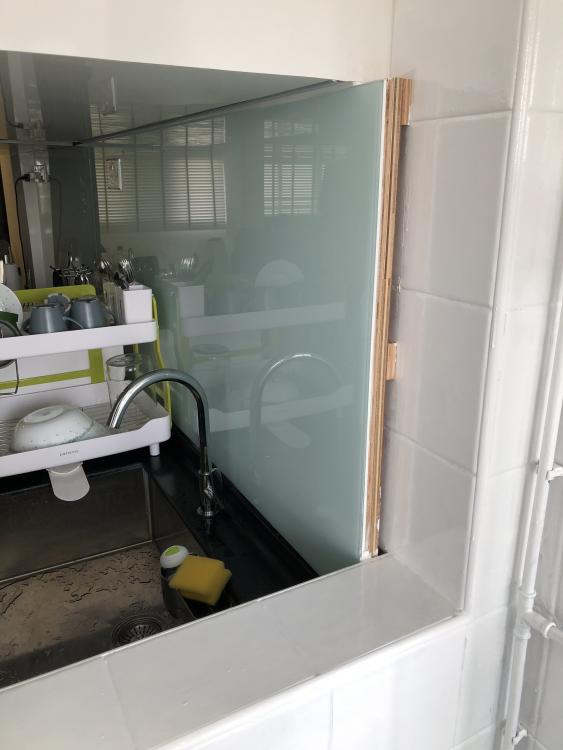
  1. I don't normally give reviews, but to newbies out there. Please be careful of this interior design company, that they do not honour their deadline and not even complete the job although we have given them 3 months and a half. Patience is out for us. Very unprofessional, and this person who is called Leslie, always give empty promises to timeline. I want to have it recorded so anyone googles this company or this person, will not be victimised by it. Please don't be deceived by their attractive pricing, considering the outcome and consequences later. Pictures of my HDB apartment are the evidence for convincing you.
Account

Navigation

Search

Search

Configure browser push notifications

Chrome (Android)
  1. Tap the lock icon next to the address bar.
  2. Tap Permissions → Notifications.
  3. Adjust your preference.
Chrome (Desktop)
  1. Click the padlock icon in the address bar.
  2. Select Site settings.
  3. Find Notifications and adjust your preference.