


Skip to content
View in the app

A better way to browse. Learn more.

RenoTalk.com ™

A full-screen app on your home screen with push notifications, badges and more.

To install this app on iOS and iPadOS
  1. Tap the Share icon in Safari
  2. Scroll the menu and tap Add to Home Screen.
  3. Tap Add in the top-right corner.
To install this app on Android
  1. Tap the 3-dot menu (⋮) in the top-right corner of the browser.
  2. Tap Add to Home screen or Install app.
  3. Confirm by tapping Install.

Liaw Siqin

Members
  • Joined

  • Last visited

Everything posted by Liaw Siqin

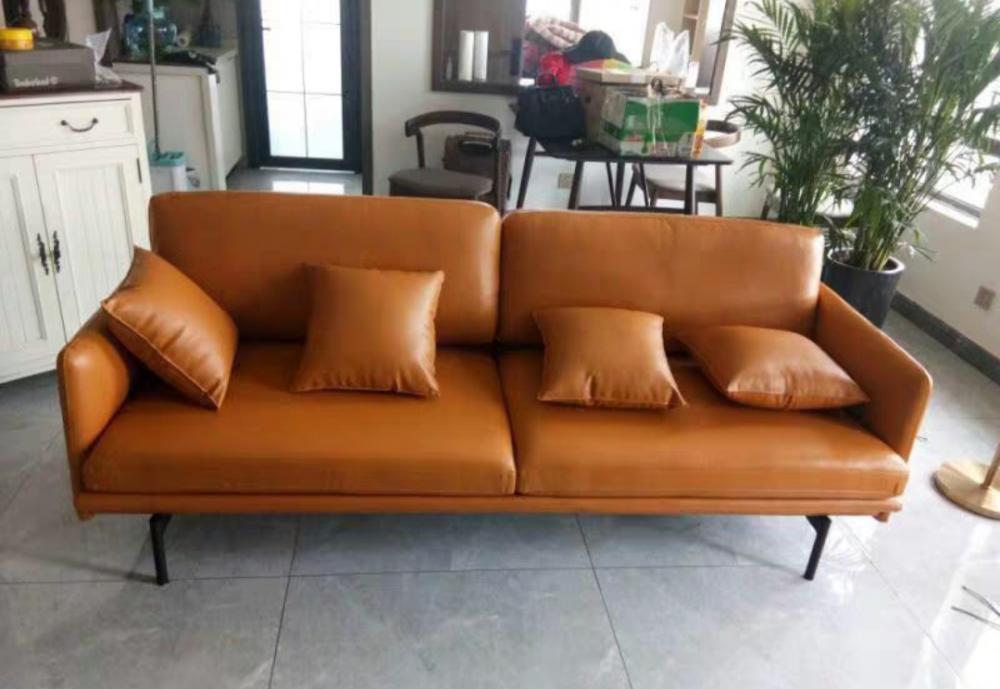
  1. Personally not a fan of the furniture e-retailers in Singapore like 42, hipvan etc cos cannot try and their 100 day return/exchange policy is just a pretext for selling you second hand items others have sat on before...however, I came across this website with prices much cheaper than other e-retailers but with better quality! The sofa cushioning was much better than expected even though I was apprehensive of not being able to sit on it beforehand .. www.chairsactually.com

Account

Navigation

Search

Search

Configure browser push notifications

Chrome (Android)
  1. Tap the lock icon next to the address bar.
  2. Tap Permissions → Notifications.
  3. Adjust your preference.
Chrome (Desktop)
  1. Click the padlock icon in the address bar.
  2. Select Site settings.
  3. Find Notifications and adjust your preference.