



philippa
Members
-
Joined
-
Last visited
Everything posted by philippa
-
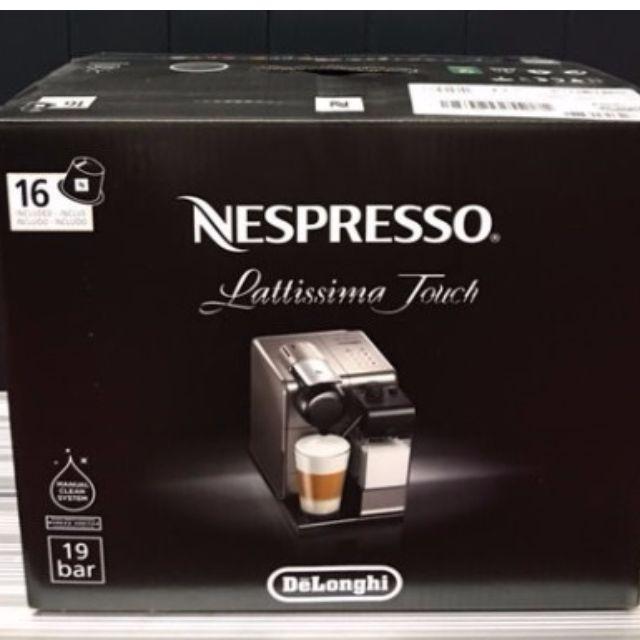
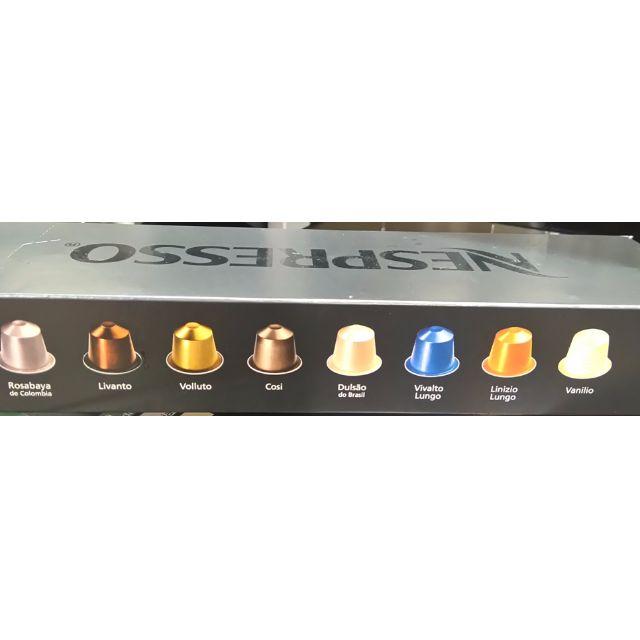
Brand new Coffee Maker : Automatic Cappuccino System DeLonghi Nespresso Latissimo Touch EN.550R - still in box Come with a set of starter capsules / pods (16 pc) Got it as a gift - still in box As comparison: Retail price: SGD 688 Robinson / Takashimaya is selling at SGD 588 Interested, pls email: philippa413@yahoo.com.sg Pick up at Jurong East Specification: - De’Longhi patented “automatic cappuccino system”: System, to obtain real cappuccino and latte macchiato automatically into the cup or glass. - Reduced heating up time, ready in approximately 25 seconds - 6 tactile beverage buttons to choose your favorite drink: ristretto, espresso, long, hot milk, cappuccino, latte macchiato in a simple and intuitive way. - 2 cleaning alerts for descaling and milk carafe cleaning. - The milk carafe (0,35 l) can be placed in the fridge, after use. - All drinks may be personalized and memorized, by varying the quantity of milk and of coffee. - Sliding drip tray, to allow use of both coffee cups and glasses for latte macchiato. - Practical system of capsules introduction. - High-performing 19-bar pressure pump. - Automatic ejection of capsules. - Collecting tank for used capsules (10 capsules). - Removable water tank (0,9 l).

-
Hi, I'm looking for short term accommodation for the whole HDB unit (4-room flat), preferable in Toh Guan Rd for 1 month (mid Nov - mid Dec 2010) If anybody has the unit available, can you contact me at: philippa413@yahoo.com? Thank you in advance