ingeld
Members
-
Joined
-
Last visited
-
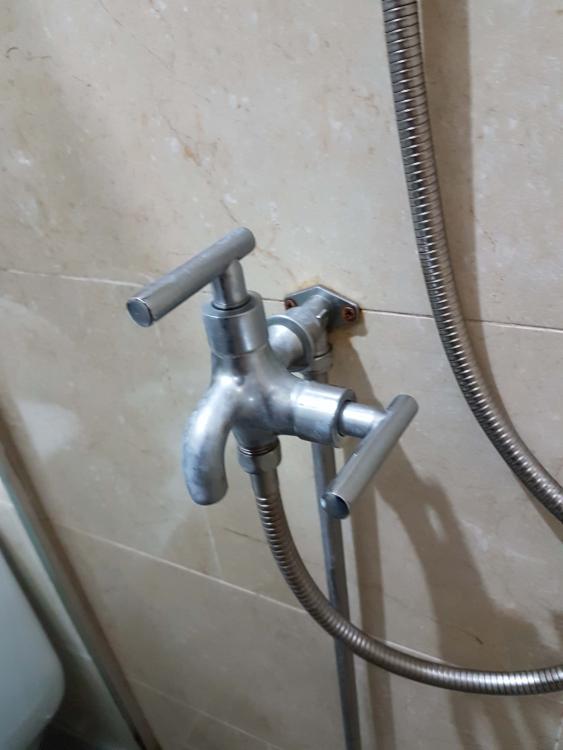
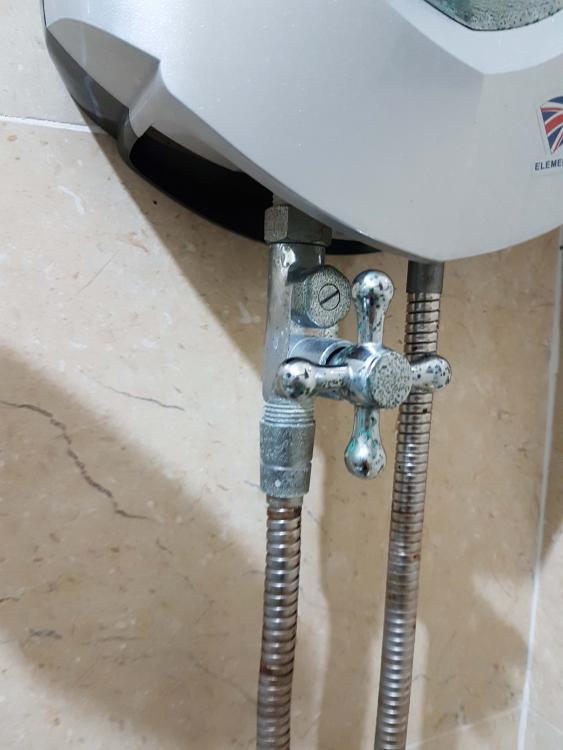
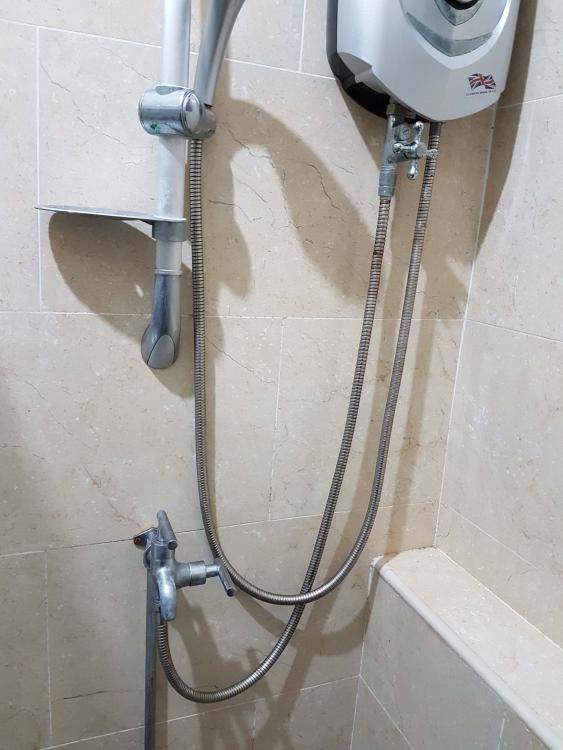
Hi guys, My shower head recently has water dripping problem and I would like to try doing self repair. I attached how the setup looks like. Basically there are two faucets from the main before the water enters the heater. In the past, the top faucet is always on and we only close the bottom faucet. But now I have to close the top faucet too, otherwise the shower head will have water droplets dripping consistently (about a drop every few seconds). Closing both faucets seem to work, though it seems to still have some water droplet forming at the shower head, but at least it is not dripping (or maybe just very rarely) . And in any case, having to close both faucets all the time is prone to being forget to close one of them. So my question, what should I do to fix this? I presume at the very least I will need to do something with the bottom faucet mostly (or maybe even both + the shower head itself), but I don't know the official name for this type of faucet, hence I can't search in the internet on how to open and fix this. all the videos I found were if different type of faucets. Also how can I turn off the main water supply? there is some kind of faucet outside of the unit together with the gas and electricity box. but I can't seem to turn it at all. Please advise. Thanks! edit: some wordings changed