



QAZWSX123
Members
-
Joined
-
Last visited
-
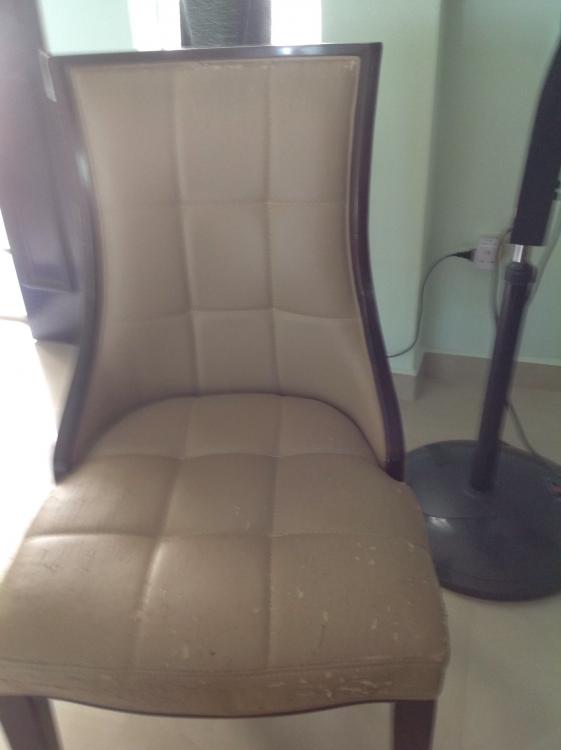
See the condition of the dining chair. Ordered 6 chairs with cowhide leather, 4 is in ok condition as of now. 2 is as attached. This 2 were replacement for the originally delivered chairs with different texture
-
Got Sofa last year May, and not 1 year, stitching all coming out. When called ask me to sent email with the invoice and picture. After that somebody came and check and told that it will cost another $300 to change the leather. The lady who called me told that may be this set may be display set, but the sales person told me that this is manufactured in China. Not sure who is true. Called Edwin (Mobile), and Dave (mobile) M1 Customer not available. Service really sucks and advice to all new customer please don't go their showroom for any purchase.
-
Removed my earlier comments, the service sucks, my sofa is not a year yet. the leather and stitching is coming out. Called for help the sales person no answer, may be sleeping at Singapore Expo because every day has sales and they are permanently there. When sent email to the company with the pictures, one lady call me and told me that it will cost another $300 to change the leather. From the day 1 I have faced issues, the chair for the dining table delivered were not the one we requested, then they change, now I have 4 chairs with same type and the other type the leather is different, what to say. Please don't visit this store or expo and order any items, you will be in trouble. my humble advice,