



Skip to content
View in the app

A better way to browse. Learn more.

RenoTalk.com ™

A full-screen app on your home screen with push notifications, badges and more.

To install this app on iOS and iPadOS
  1. Tap the Share icon in Safari
  2. Scroll the menu and tap Add to Home Screen.
  3. Tap Add in the top-right corner.
To install this app on Android
  1. Tap the 3-dot menu (⋮) in the top-right corner of the browser.
  2. Tap Add to Home screen or Install app.
  3. Confirm by tapping Install.

Alex Wee

Members
  • Joined

  • Last visited

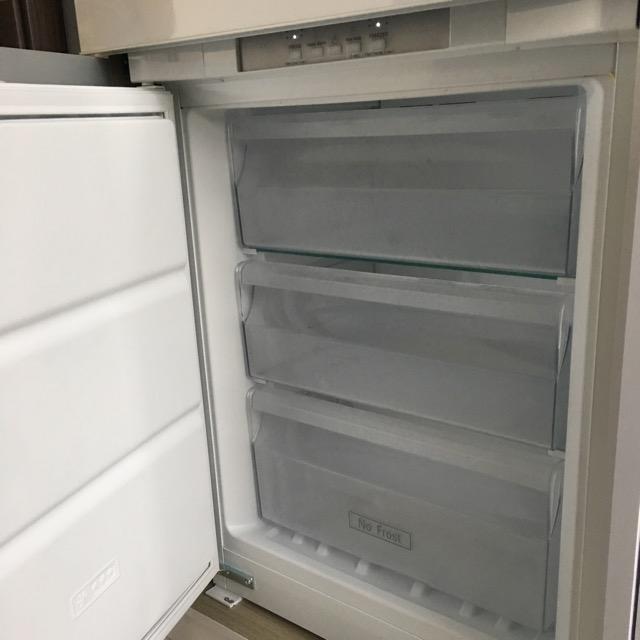
  1. Selling new SMEG Integrated fridge(CR325PNFZ) Hob(SE2321TE2) Hood(KSET600x) all listed above came with condo, but looking to revamp kitchen so looking to change all of em. All is New haven't been use. u may check the price at Lazada, any enquire feel free to text me at 9021 7252. I'm looking to let go of the items at Affordable price but please be reasonable

Account

Navigation

Search

Search

Configure browser push notifications

Chrome (Android)
  1. Tap the lock icon next to the address bar.
  2. Tap Permissions → Notifications.
  3. Adjust your preference.
Chrome (Desktop)
  1. Click the padlock icon in the address bar.
  2. Select Site settings.
  3. Find Notifications and adjust your preference.
