



Skip to content
View in the app

A better way to browse. Learn more.

RenoTalk.com ™

A full-screen app on your home screen with push notifications, badges and more.

To install this app on iOS and iPadOS
  1. Tap the Share icon in Safari
  2. Scroll the menu and tap Add to Home Screen.
  3. Tap Add in the top-right corner.
To install this app on Android
  1. Tap the 3-dot menu (⋮) in the top-right corner of the browser.
  2. Tap Add to Home screen or Install app.
  3. Confirm by tapping Install.

Hydezw

Members
  • Joined

  • Last visited

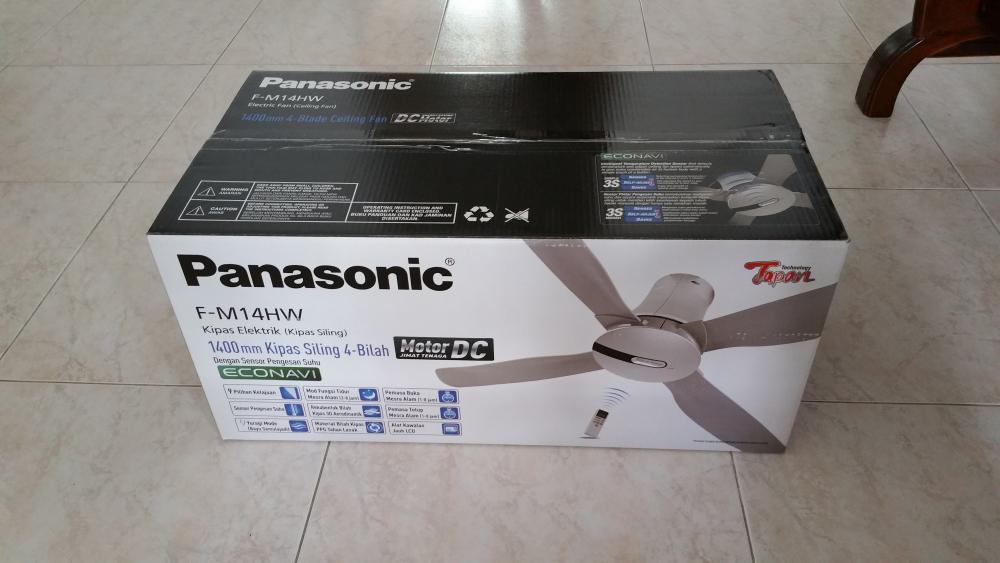
  1. Hello All, I'm selling a brand new in box 56" Panasonic ceiling fan F-M14HW (incl free bracket+screw), specs can be found at the following page http://www.panasonic.com/my/consumer/home-appliances/indoor-air-quality/ceiling-fan/f-m14hw.specs.html. Fan was bought in Malaysia 2 weeks ago, but we last minute decided not to have fan installed at our house. I will send the fan directly to your doorstep. Please whatsapp or call me @ 96280828 for pricing. Thank you
Account

Navigation

Search

Search

Configure browser push notifications

Chrome (Android)
  1. Tap the lock icon next to the address bar.
  2. Tap Permissions → Notifications.
  3. Adjust your preference.
Chrome (Desktop)
  1. Click the padlock icon in the address bar.
  2. Select Site settings.
  3. Find Notifications and adjust your preference.