



Skip to content
View in the app

A better way to browse. Learn more.

RenoTalk.com ™

A full-screen app on your home screen with push notifications, badges and more.

To install this app on iOS and iPadOS
  1. Tap the Share icon in Safari
  2. Scroll the menu and tap Add to Home Screen.
  3. Tap Add in the top-right corner.
To install this app on Android
  1. Tap the 3-dot menu (⋮) in the top-right corner of the browser.
  2. Tap Add to Home screen or Install app.
  3. Confirm by tapping Install.

walter2011

Members
  • Joined

  • Last visited

  1. Open box, not sealed. But not used at all. To connect your Lightwaverf smart switches, dimmers etc to the internet so it can be controlled by your phone and Amazon Echo. Asking $170. PM or email walterchia2011@gmail.com
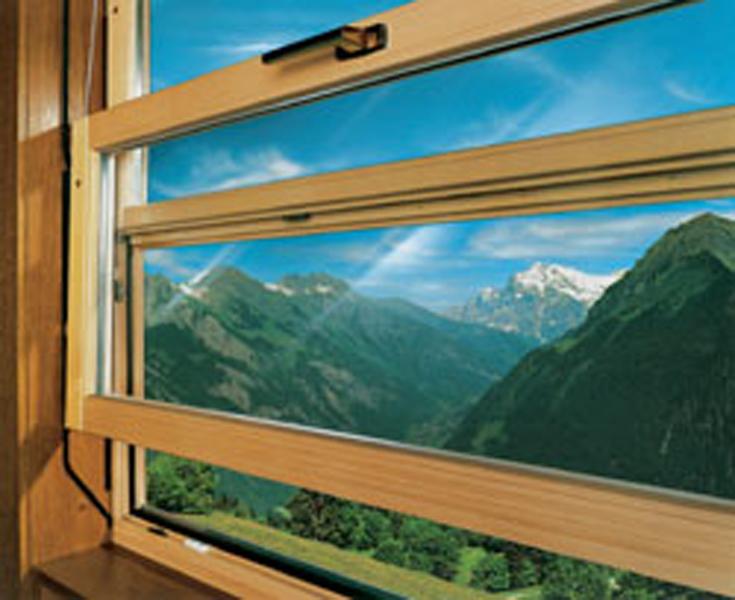
  2. Hi renotalk, I'm looking at doing a window between the study room and living room, which can be opened, but is still good for watching TV when the windows are closed. I wonder if anyone here knows if there's any of such vertical sliding or guillotine style windows in Singapore? I considered glass partitions, but there's still vertical lines, hence would not be as ideal as the vertical sliding windows, but I guess if I can't find any I would have to settle for the partition-style windows.
Account

Navigation

Search

Search

Configure browser push notifications

Chrome (Android)
  1. Tap the lock icon next to the address bar.
  2. Tap Permissions → Notifications.
  3. Adjust your preference.
Chrome (Desktop)
  1. Click the padlock icon in the address bar.
  2. Select Site settings.
  3. Find Notifications and adjust your preference.