



Skip to content
View in the app

A better way to browse. Learn more.

RenoTalk.com ™

A full-screen app on your home screen with push notifications, badges and more.

To install this app on iOS and iPadOS
  1. Tap the Share icon in Safari
  2. Scroll the menu and tap Add to Home Screen.
  3. Tap Add in the top-right corner.
To install this app on Android
  1. Tap the 3-dot menu (⋮) in the top-right corner of the browser.
  2. Tap Add to Home screen or Install app.
  3. Confirm by tapping Install.

barra9897

Members
  • Joined

  • Last visited

Everything posted by barra9897

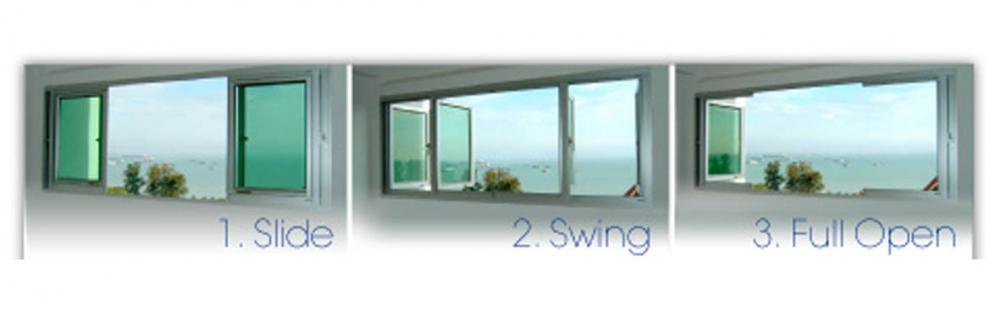
  1. Hi, i'm currently sourcing for reliable window contractor who are able to install sliding windows that can be fully open as attached. any recommendation will be greatly appreciated. tsk
  2. can someone PM me alex's contact? thanks in advance...:)
  3. Hi, i'm currently sourcing to window grilles. anyone out there have any good recommendation?
  4. Hi, i'm getting the key to my 4rm BTO flat soon. currently looking for reliable contractor with reasonable quote. any recommendation is greatly appreciated. tsk

Account

Navigation

Search

Search

Configure browser push notifications

Chrome (Android)
  1. Tap the lock icon next to the address bar.
  2. Tap Permissions → Notifications.
  3. Adjust your preference.
Chrome (Desktop)
  1. Click the padlock icon in the address bar.
  2. Select Site settings.
  3. Find Notifications and adjust your preference.