AnnaWong
Members
-
Joined
-
Last visited
Everything posted by AnnaWong
-
-
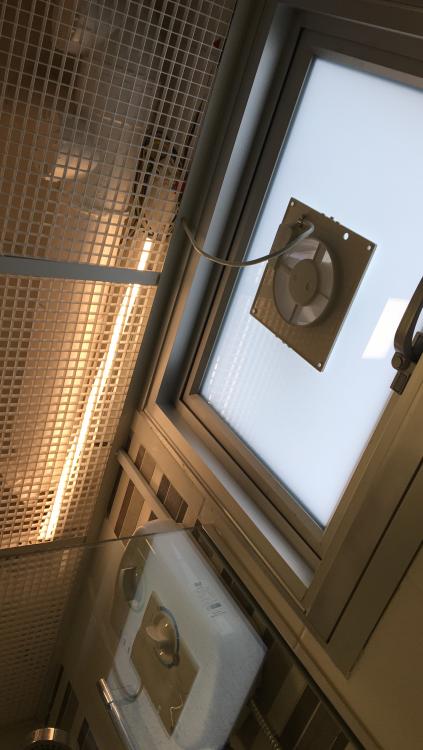
The fan didn't come with rubber, so I taped some of those door gap seal around the back of the fan to lean against the glass. Nicely done. And can't see at all. I installed the fan on my own. There's a ring provided with the fan to tighten against the glass.
-
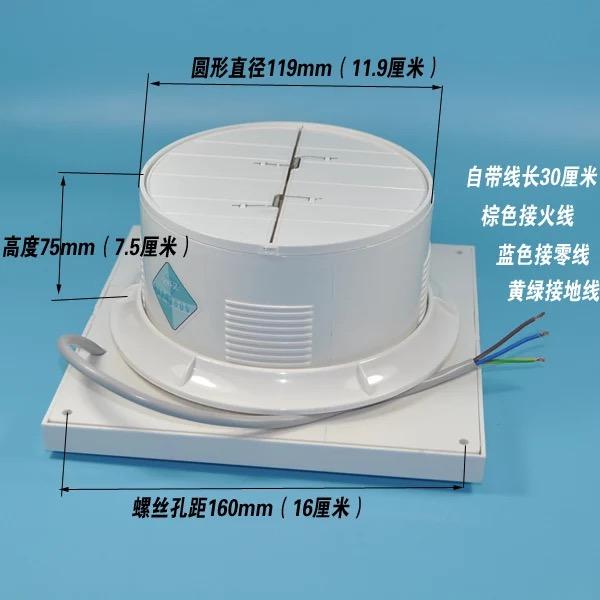
【上海松日排气扇换气扇厨房卫生间12CM排风扇5寸玻璃窗式120mm墙壁】¥wADrSOFY2J¥http://c.b1za.com/h.2XODpB?cv=wADrSOFY2J&sm=0f9277
-
Fan ¥wADrSOFY2J¥http://c.b1za.com/h.2XODpB?cv=wADrSOFY2J&sm=0f9277
-
I followed this thread and called jasmine from central aluminium to remove the shutters and install top hung window at $245. With HDB permit approved. They cut a hole according to the fan I ordered from taobao. The fan is around S$15 include shipping. So cheap I ordered 2. Shipped via Taobao direct consolidated shipping service prouter. This fan has auto shutters meaning when switched off, the flap before will auto close. So no insects will fly in. Previously I had an electrician route a power supply (linked to one of the lights). So I connected the rest, I wasn't sure how but I followed and match the colours of the wire. For safety, I flipped the main power circuit before doing so. It worked! Heres a pic, I haven't cap on the frame. Need to cut a hole on top for the wire. Without frame also quite nice. Hesitated for 2 years before doing Reason: to reduce humidity during bath. Last december was the rainy season... towels dry very slow and bad smell