Skip to content
View in the app

A better way to browse. Learn more.

RenoTalk.com ™

A full-screen app on your home screen with push notifications, badges and more.

To install this app on iOS and iPadOS
  1. Tap the Share icon in Safari
  2. Scroll the menu and tap Add to Home Screen.
  3. Tap Add in the top-right corner.
To install this app on Android
  1. Tap the 3-dot menu (⋮) in the top-right corner of the browser.
  2. Tap Add to Home screen or Install app.
  3. Confirm by tapping Install.

Joyce Chen

Members
  • Joined

  • Last visited

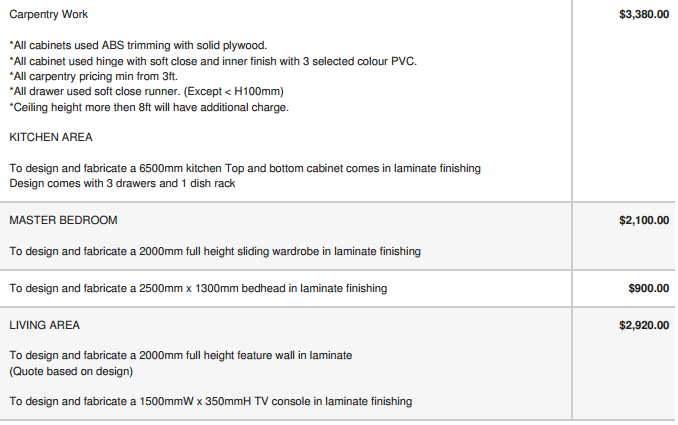
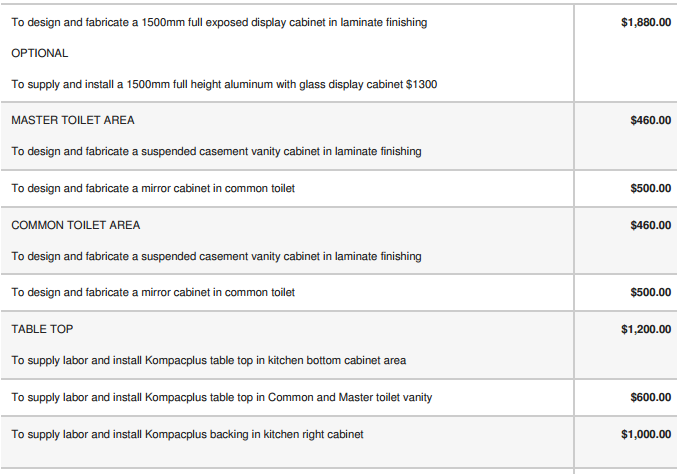
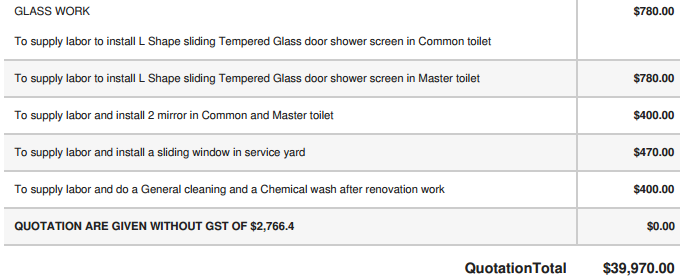
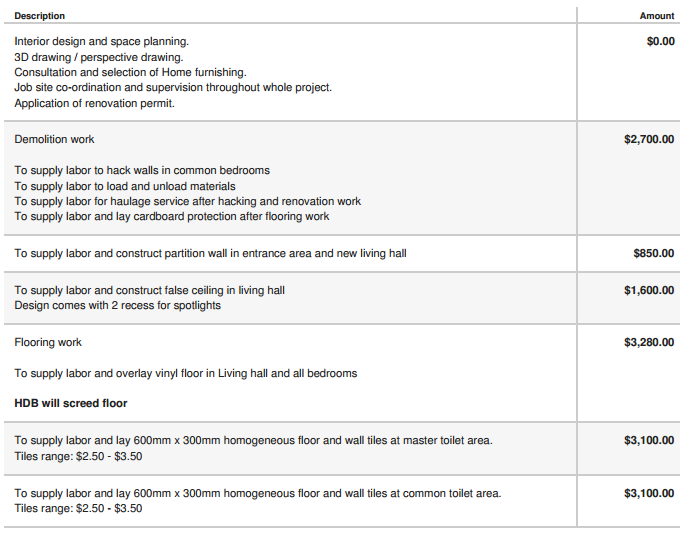
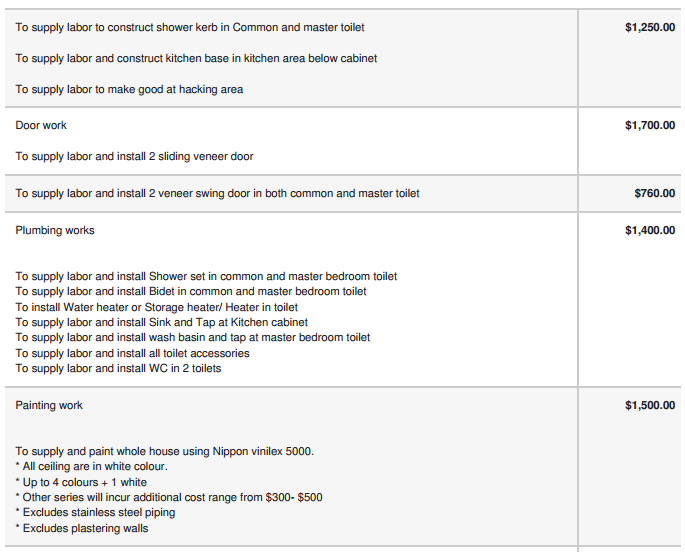
  1. Hi, we've finalised our layout and received the following quotation from our ID. Is it reasonable for a 3-room BTO (68sqm), and how else can it be improved? We're not looking for absolute cheapest because we believe in design and quality. But if there are items which jump out as unreasonably expensive or something missed out, please help us to flag. Do note our layout is not the traditional 3-room layout as our Master Bedroom will takeover the space in the existing Living Room, and we will hack the walls between the existing bedrooms to form 1 big Living/Work room. So the measurements may be a bit strange. Thank you in advance.
Account

Navigation

Search

Search

Configure browser push notifications

Chrome (Android)
  1. Tap the lock icon next to the address bar.
  2. Tap Permissions → Notifications.
  3. Adjust your preference.
Chrome (Desktop)
  1. Click the padlock icon in the address bar.
  2. Select Site settings.
  3. Find Notifications and adjust your preference.