



Ed Po
Members
-
Joined
-
Last visited
Everything posted by Ed Po
-
Hi guys, sorry for the late reply, you can contact my contractor Mr Ee at 96365552
- 45 replies
-
-

- 1
-
-
- budget
- carpentary
- cheap
- design
-
Tagged with:
-
my contractor is Mr Ee, 96365552. Its better to communicate with him in chinese. hes very old school, no web site i think, but do ask him to send you his past works.
- 45 replies
-
- budget
- carpentary
- cheap
- design
-
Tagged with:
-
-
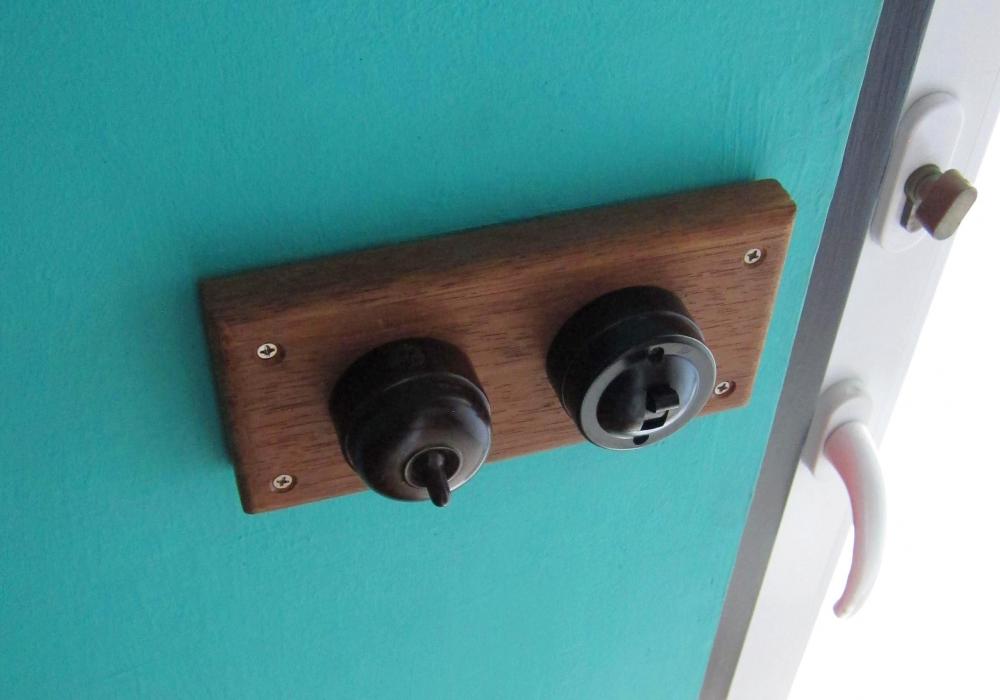
HI home owners, This is a long overdue shout out to Mr Ee, who did my home recently in balestier. Like everyone, i went through what was recommended in this forum. Shortlisted 3, but went with Mr Ee instead. He is the second cheapest among all, with 20 years of experience, and very experience in doing high end retail space. Had a good vibe about him la. Super nice uncle. When i was telling him what i want through mood board etc. he gets it. Guys he is not interior designer, so to convey what you want, it will be easier to show him reference or magazine clipping. He knows the trend in home reno now la. i wanted industrial style, mix with a bit of neon, playfulness in it. He is practical, and very easy going. He is not kekao, calculative. I have live i my new home for 1/2 a year, so far everything is good, except the outdoor blind, which was install by his 3rd party installer. He is not internet savvy, and dont do any marketing. thats why abit low profile. Also I am not related to his business in any way, i think this is my first post in renotalk. PM me if you guys are interested. Thanks




- 45 replies
-
-

- 1
-
-
- budget
- carpentary
- cheap
- design
-
Tagged with: