



studio88
Members
-
Joined
-
Last visited
Everything posted by studio88
-
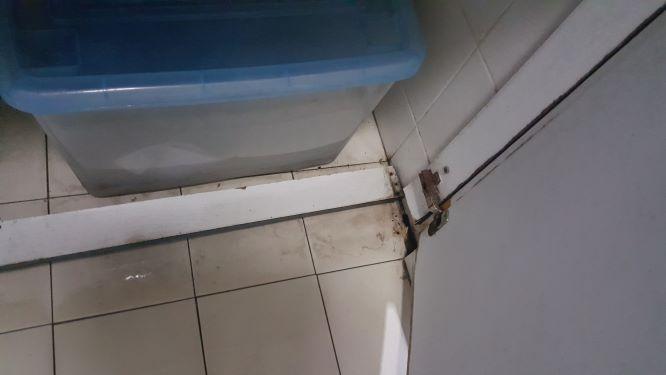
Hi there, I have this door under bathroom water tap of an old flat which deteriorated after years of usage and wish to replace. The hinge of the middle door rusted and came off. The nails on the lower right corner also came off. I bet I may need to have a new one before I could rent it out. What is the best material for that purpose? Plywood rots so easily. What would be the procedure, cost and time frame for such a work? Please PM your proposal. Thank you! studio88


-
Sorry for tripple post. Mod pls help delete the other two.
-
Hi renotalk, I plan to buy a single room condos for my own use. Some of them have bath room only accessible from master room, for example the floor plan I attached. I ask whether it's possible to modify it such that friends can access the bath room without open the Master bed room? Will the condo allow it, and the cost of such work? Thank you.
-
Hi renotalk, I plan to buy a single room condos for my own use. Some of them have bath room only accessible from master room, for example the two floor plans I attached. The second one seems much easier to modify. I ask whether it's possible to modify it such that friends can access the bath room without open the Master bed room? Will the condo allow it, and the cost of such work? Thank you.

