BrantzLi
Members
-
Joined
-
Last visited
-
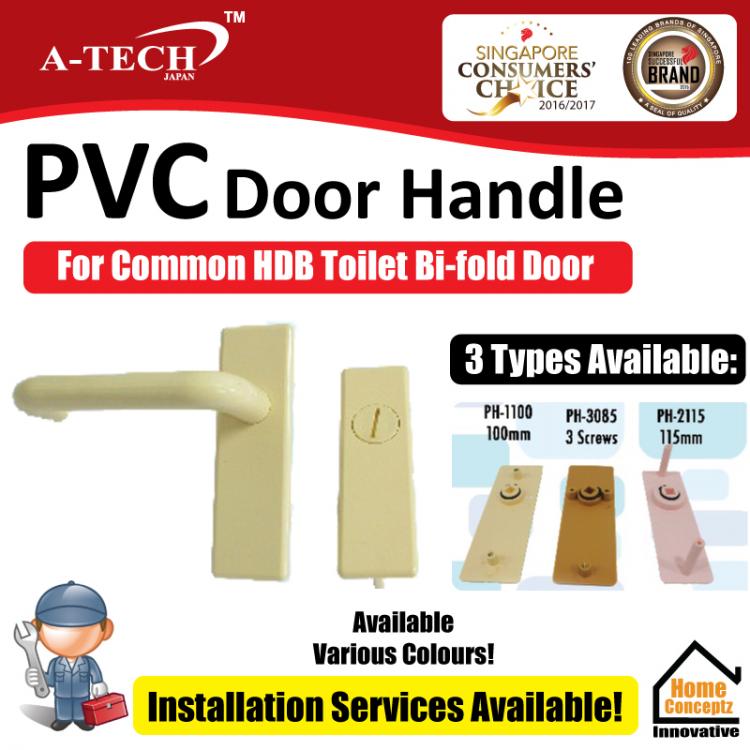
Hi Everyone, Actually I am the retailer on Qoo10 / Retail shop for this type of HDB Bi-fold Door Handle. It is from a local supplier A-TECH so quality is assured (not from china). You can find out more information buy it directly from our Qoo10 Store via this link: http://list.qoo10.sg/GMKT.INC/Goods/Goods.aspx?goodscode=499065670 Do note that this type of lock there are 3 different types of Model. It can be misleading because on the outside all the Handle look the same, but when you disassemble and look inside the handle the screw types are different. There are also cases whereby modification is required such as drilling the hole bigger or some external modification in order to fit the replacement lock. My Advice is as follows: 1) Measure the Distance between the screw holes 2) Order the correct model & Pay through Qoo10 3) If Not sure which type or how to install, please disassemble your lock (just the plastic part with the screws, dont need the internal lock mechanism) and bring it down to us to verify for you. 4) If you are unable to disassemble and not sure what to do, We can Recommend you a Handy-man, just let us know and we will pass you his contact details. Do not attempt to forcefully pull or pry out the lock as it may damage the internal lock mechanism or your door which is very costly & difficult to fix (even we do not have the spare parts to fix it)