



Winhelm7997
Members
-
Joined
-
Last visited
-
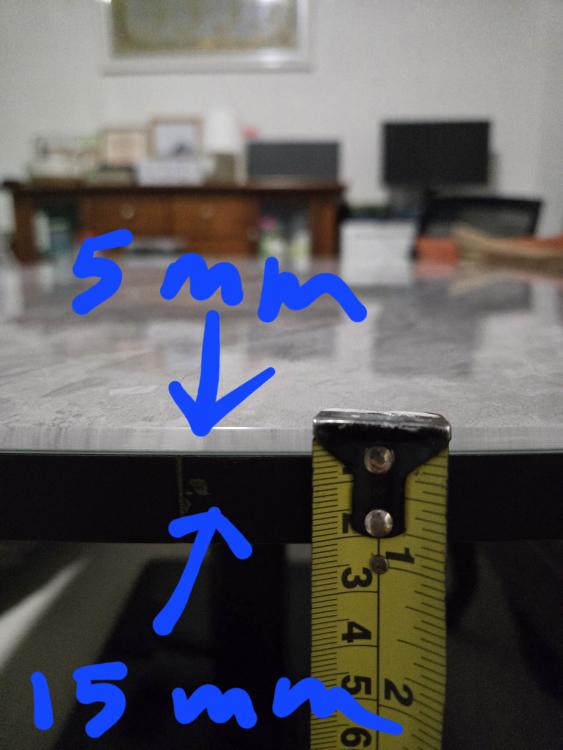
Hi All, I need advise on sintered stone dining table. Recently ordered online a sintered stone top dining table online. But was disappointed when it was delivered as it does not look like any sintered stone seen at furniture store. Wrote to the supplier in Singapore but was not convinced with their explanation. Can see the picture attached; 15mm wood base, 5mm "glass" top, why need glass top for sintered stone. Scammed? Any advice is very appreciated. Thanks. Update 23 June 2025: Action to take - Report seller Urb*n M**d to CASE.
-
Winhelm7997 replied to newowner09's topic in Renovation Contractors, Interior Designers & Suppliers ReviewsHi All, can provide your contractor's detail please. I need good and reliable contractors for my design and renovation projects. Email to me at winhelmrenovation@gmail.com Thank you. Helmi Nasir Design Consultant Winhelm Design & Renovation