



queenie888
Members
-
Joined
-
Last visited
Everything posted by queenie888
-
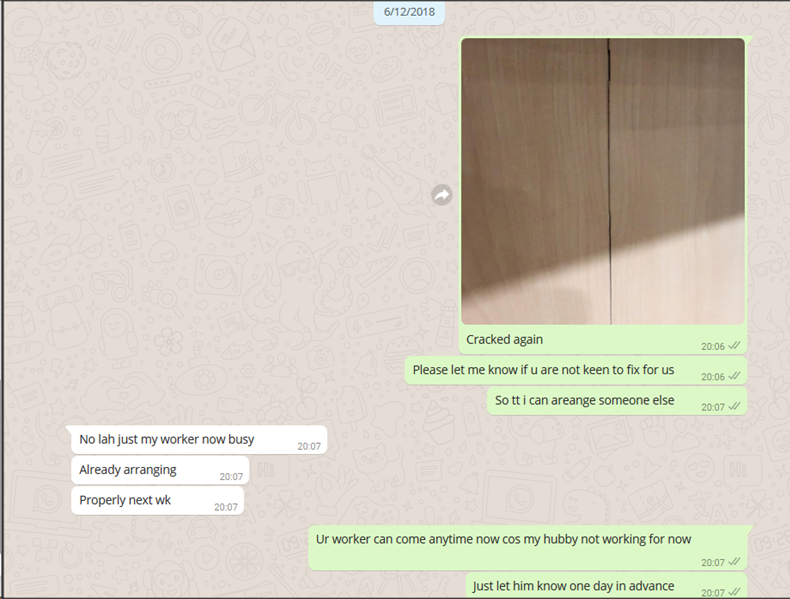
We have engaged a reputable Contractor, Pavixxxx Creatixx (been in the reno market for more than 10 years) and also a HDB approved Company. The renovation was done with no major issues, everything went through smoothly until after we moved in:- The floating shelf in the children's bedroom has not been secured properly, the study desk drawer dropped when opened, shoe cabinet has cracked without known reasons. i have been sending the boss messages on these issues but she simply ignore. Under our signed agreement, the carpentry works has a 2 years warranty with on site service. anyone can advise on this? thanks! below was the conversation on 12 Jun 18. almost 2 weeks and still no news from the boss.. totally give up on her.
-
following your post too. my Contractor has been ignoring my messages on my carpentry issues. This Contractor is quite a reputable company and HDB approved...i was quite disappointed by their aftersales attitude. under our signed agreement, there are 2 years warranty (on site service) for the carpentry. How do I handle such cases?