


Fire Rated Door Pte Ltd
-
Joined
-
Last visited
About Me
?Fire Rated Door specialist in
1. HDB Main Door ?
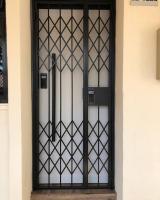
2. HDB Main Gate ?
3. HDB Bedroom Door ?
4. Digital Lock ?
5. Mattress ?
6. Bedframe?
7. Shower Screen ?
✅All wooden door with 12 month warranty
✅All metal gate with 12 month warranty
✅All Digital Lock with 3 years warranty
✅All Mattress with 10 years warranty
✅All Bedframe with 12 month warranty
Why look for Fire Rated Door?
☑️Lowest price with Best Quality in Singapore ??
☑️Able to customise (Door / Gate / Bedframe) ⚒
☑️Digital Lock100% made in Korea ??
☑️Door & Gate manufactured in Singapore ??
☑️Accpet Credit Card / Nets / Apple Pay / Cash / Cheque ?
☑️Instalment Plan available (0% interest) ?
☑️Taxi Rebate (twice amount) with any purchase ?
☑️Great after sales service?
❎No GST ?♂️
❎No Hidden Cost ?♀️
?: 10 Arumugam Road #08-01 , LTC Building A S409957
?: Mon - Sun (included PH) , 10am - 8pm daily
☎️: 96177025 Leon (24/7)
?: www.firerateddoor.com.sg
#HDBDoor #Firerateddoor #laminatedoor #bedroomdoor #maindoor#condodoor #btodoor #veneerdoor #doorfactory #cheapestdoor#hdbgate #mildsteelgate #wroughtirongate #firerateddoor #digitallock#samsungdigitallock #epicdigitallock #keywedigitallock#gatemandigitallock #samsungdr708digitallock#Samsungdr738digitallock #cheapestdigitallock #digitaldoorlock#toiletdoor #koreadigitallock #homeautomation #latestdigitallock#MYDIGITALLOCK
#gatedigitallock #laminate