MeSoBoard
Members
-
Joined
-
Last visited
-
MeSoBoard replied to MeSoBoard's topic in Reno t-Blog Chat - Condo Interior Design and Landed RenovationMost likely cause the skirting is therr since 1995. ? what should I do ?
-
-
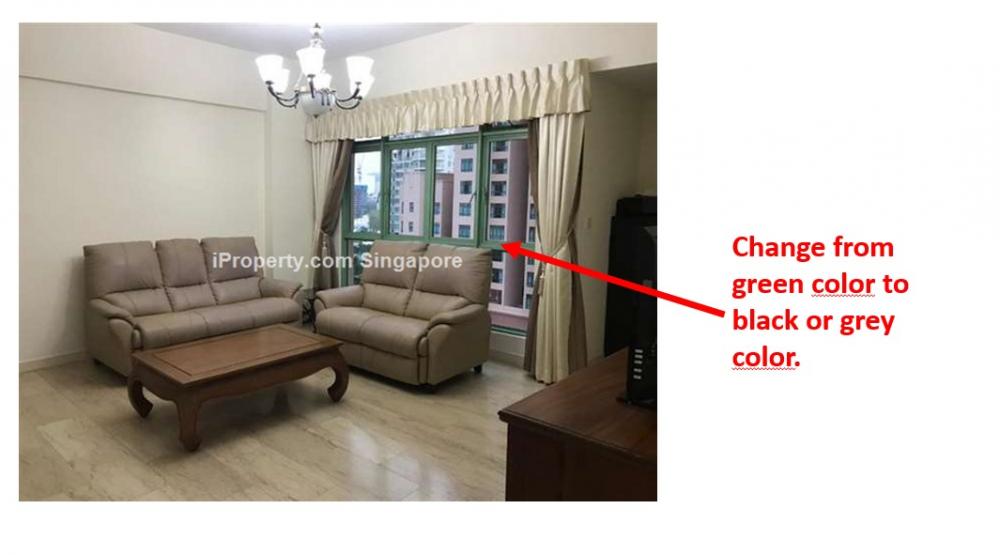
Hi, I am wondering if there are contractors who are willing/ able to change the color of my green metal window grill color to black. The Condo Management has stated that I cannot change the facade of the building, hence I can only change the inner portion of the metal window frame and grill. Can this be done? Thanks ?
-
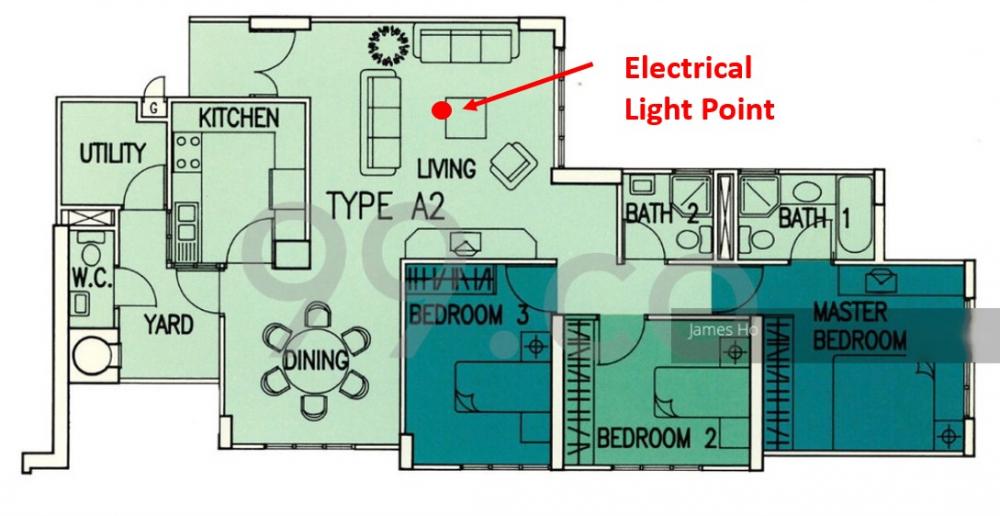
Hi, Would it be possible to add/ move an electrical light source/ point from the center of a living room to multiple spots in the living room? Currently, there is only 1 electrical light source/ point situated in the center of the living room. I would prefer not to install false ceiling. I am aware that you can use "Track Lights"/ "Trunking" to pull or split the wires accordingly to add multiple light points across the living room, but I find that a little "messy". Any ideas? Is there any other way to add electric light points without Trunking? The last resort would be to install a false ceiling? Thank you ?