Skip to content
View in the app

A better way to browse. Learn more.

RenoTalk.com ™

A full-screen app on your home screen with push notifications, badges and more.

To install this app on iOS and iPadOS
  1. Tap the Share icon in Safari
  2. Scroll the menu and tap Add to Home Screen.
  3. Tap Add in the top-right corner.
To install this app on Android
  1. Tap the 3-dot menu (⋮) in the top-right corner of the browser.
  2. Tap Add to Home screen or Install app.
  3. Confirm by tapping Install.

Leaderboard

Popular Content

Showing content with the highest reputation on 05/05/17 in Posts

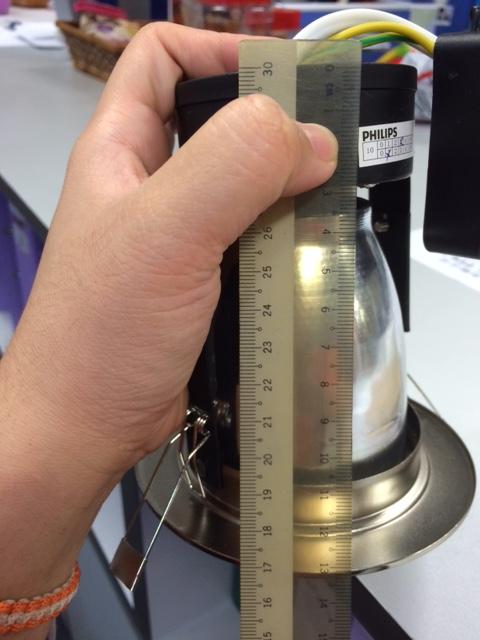
  1. My beam is about 7 inches depth. Same for false ceiling. It's hard to find this kind of downlight anymore, all is led now. Buy first before you make your false ceiling. If you cannot find this kind and use led then no need make 7 inches so deep. But the convenient of replace the bulb makes me want to install this rather then replacing those drivers of led downlight. $10 for this holder that hardly spoil. I feel very worth it.
This leaderboard is set to Singapore/GMT+08:00

Account

Navigation

Search

Search

Configure browser push notifications

Chrome (Android)
  1. Tap the lock icon next to the address bar.
  2. Tap Permissions → Notifications.
  3. Adjust your preference.
Chrome (Desktop)
  1. Click the padlock icon in the address bar.
  2. Select Site settings.
  3. Find Notifications and adjust your preference.