



jeoux
Members
-
Joined
-
Last visited
-
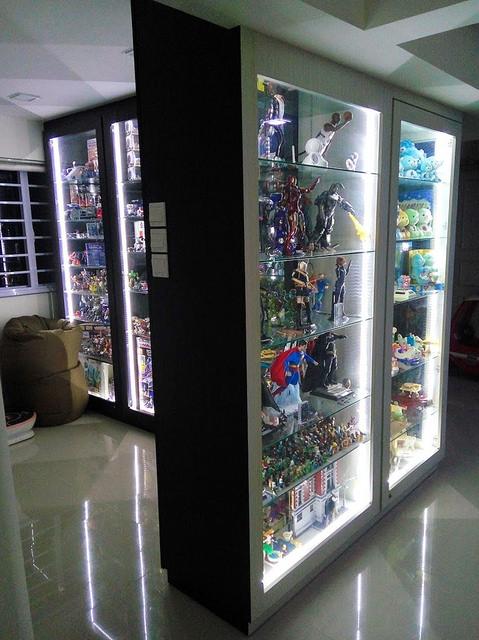
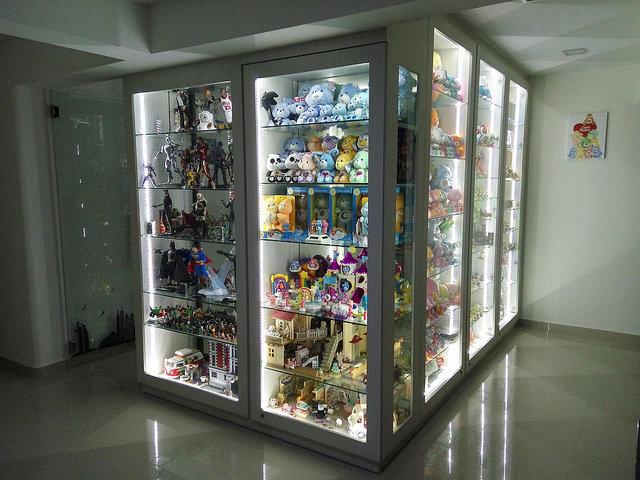
The display cabinet acts as a partition, and created a mini walk-in display showroom. They are full height, from bottom to ceiling. There are 4 sides for my display. Total 8 doors. Total cost is a 4 digit sum. If you need single side, price will be way cheaper.
-
Sharing my custom display cabinet. Total dust free. All sides are covered to prevent dust. This is full height. Cabinet is specially custom built by my contractor. Call 9 7 8 6 0168 for a free quote. www.facebook.com/a2zinteriordesign.sg a2zinteriordesign.com.sg
-
Sharing my custom display cabinet. Total dust free! Cabinet is designed and custom built by my contractor. There is a total 4 sides for display. The cabinets also act as my partition to create a mini walk-in display gallery. You can call Mike 9786 0168 for a free quote. www.facebook.com/a2zinteriordesign.sg a2zinteriordesign.com.sg This is my 2nd custom display made by him.