



kellfun
Members
-
Joined
-
Last visited
Everything posted by kellfun
-
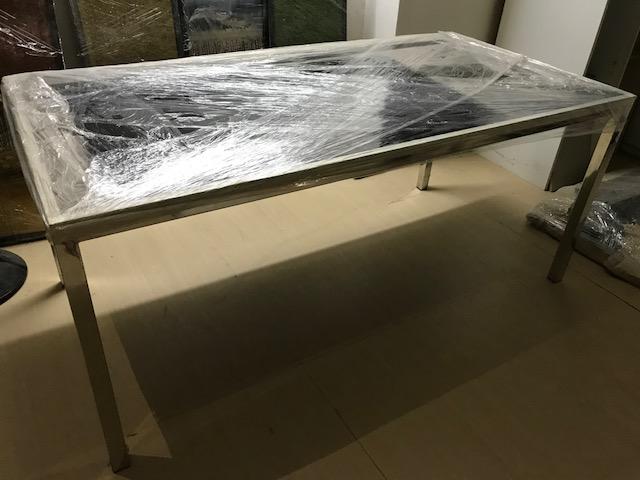
Cellini Dining Table for sale: Please quote! Contact me asap! Thanks
-
- cellini
- dining table
- glass table
- home
-
Tagged with:
-
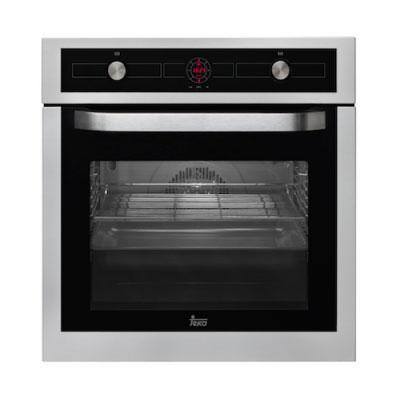
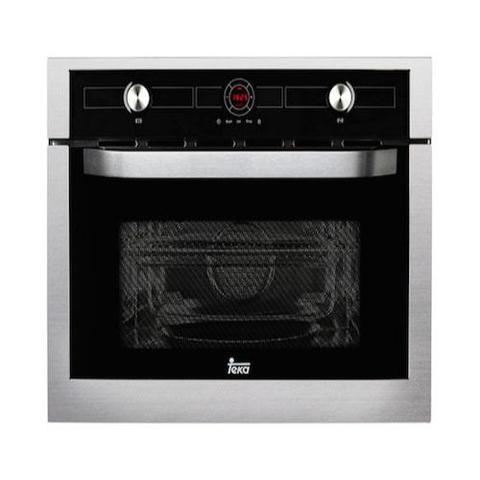
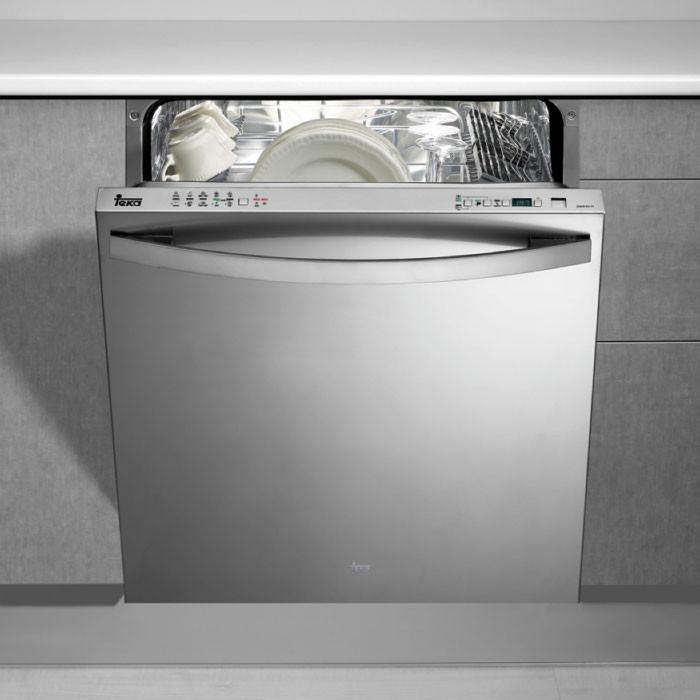
A few new unused Teka appliances to be sold below. Please contact me asap for these items! More discounts for bulk purchases! Teka Hydroclean Oven HL 850 Price: $1099 Retail price: $1750 Teka Combi MC 32 BIS Microwave Price: $1199 Retail price: $1950 Induction Hob IR 641 Price: $1299 Retail price: $2200 Teka DW8 80 FI Price: $1099 Retail price: $1850

-
i tried Neogarden before too. It was generally ok. But its abit pricey in comparison to other caterers?
-
Usually i go to the big departmental stores first to check out the new models and brands that i am interested in. But nowadays it is also very easy to shop online for appliances. Just go online and google, there are quite many selections and promotions too. I am using Teka CGWLUX4G hob, works better for me than the one i had before this.
-
I have been using Teka appliances for almost one year and it is still working relatively well for me! The hydroclean function of its multifunction ovens is amazing.
-
Hi ingenue26, I will be going down again this weekend. maybe i can check it out for you!
-
hi is there anyone using teka appliances? Was actually looking at it cause they are having 20% discount but couldnt find much info about this brand in the forum. Really appreciate any feedback and advice! TIA!