



Kesohnler
Members
-
Joined
-
Last visited
-
Kesohnler replied to Delon70's topic in Renovation Contractors, Interior Designers & Suppliers ReviewsYes, I am using their service. My ID's name is Danny. My completion date is today and I am going to see the handover soon. Here are pics of my renovation journey with them so far: https://www.flickr.com/photos/145080333@N02/albums/with/72157669866174930 There were a few small hiccups along the way but Danny has been a very responsible, responsive, trustworthy and honest ID so far. With so many scams and con people around in the renovation industry, I think that is what's really important, especially when I almost got conned by an ex con-woman hired by the ID company Elegance Concept. Very lucky I never kena.
-
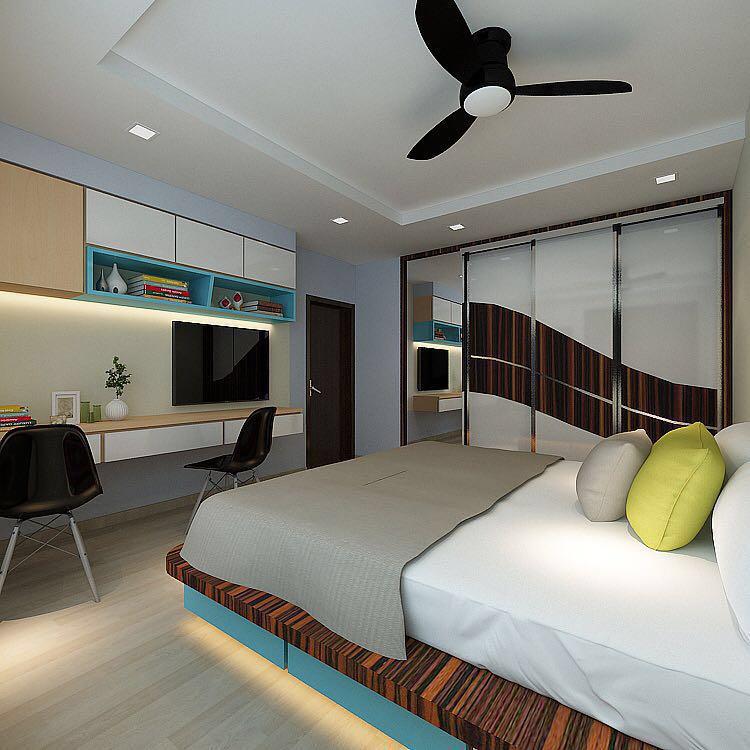
Hi guys, just want to share my renovation journey with everybody. Have attached the 3D drawings by my ID. And you can find the pictures of the renovation process here: https://www.flickr.com/photos/145080333@N02/sets/72157669866174930/with/28203630506/ The renovation is finishing very soon now, will handover after this weekend, quite excited! Haha.



-
Hi, Can I have the contact and cost too? Thanks in advance.
-
Just wanted to share what my future dream house will look like (hopefully). These drawings took 2 months of painstaking discussion and many changes before this final visualization. This is a HDB 3 room resale flat, renovation starting in May.
-
Hi, I am looking for a very creative designer/drafter to do 3D drawing of a 8.5 feet top hung study cabinets and 8.5 feet study table. Please PM or email me (jaycekesohnlerlim@gmail.com) your contact and price if you are interested to help me, thanks!