



Skip to content
View in the app

A better way to browse. Learn more.

RenoTalk.com ™

A full-screen app on your home screen with push notifications, badges and more.

To install this app on iOS and iPadOS
  1. Tap the Share icon in Safari
  2. Scroll the menu and tap Add to Home Screen.
  3. Tap Add in the top-right corner.
To install this app on Android
  1. Tap the 3-dot menu (⋮) in the top-right corner of the browser.
  2. Tap Add to Home screen or Install app.
  3. Confirm by tapping Install.

jadeheart14

Members
  • Joined

  • Last visited

Everything posted by jadeheart14

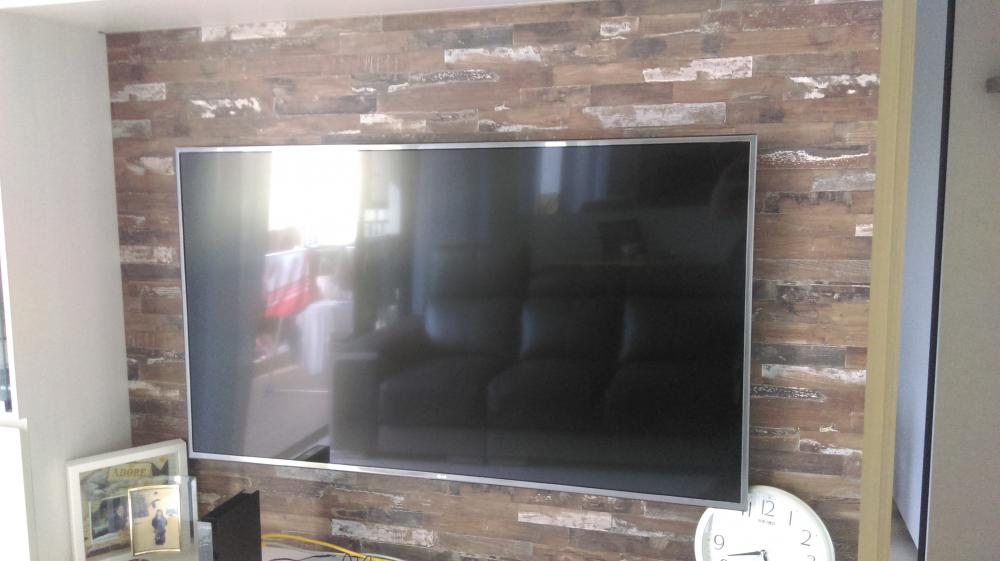
  1. Dear all home owners, I purchased a LG 55" UHD 4K Smart TV (UH 650T) at Expo on 26 April 2016. After installing in my house for a month I feel that the TV is too big for my living hall, so I am thinking of either selling the recently purchased TV or can do a one-to-one exchange for a smaller 50" or less TV with similar conditions. I have the tax invoice with me and its under 3 years warranty by LG. Attached a picture of the metallic ultra slim TV. Let me know if anyone is interested. I am contactable at 93227079 Refer to the link for the TV specification. http://www.lg.com/sg/tvs/lg-55UH650T

Account

Navigation

Search

Search

Configure browser push notifications

Chrome (Android)
  1. Tap the lock icon next to the address bar.
  2. Tap Permissions → Notifications.
  3. Adjust your preference.
Chrome (Desktop)
  1. Click the padlock icon in the address bar.
  2. Select Site settings.
  3. Find Notifications and adjust your preference.