Alienlyn
Members
-
Joined
-
Last visited
-
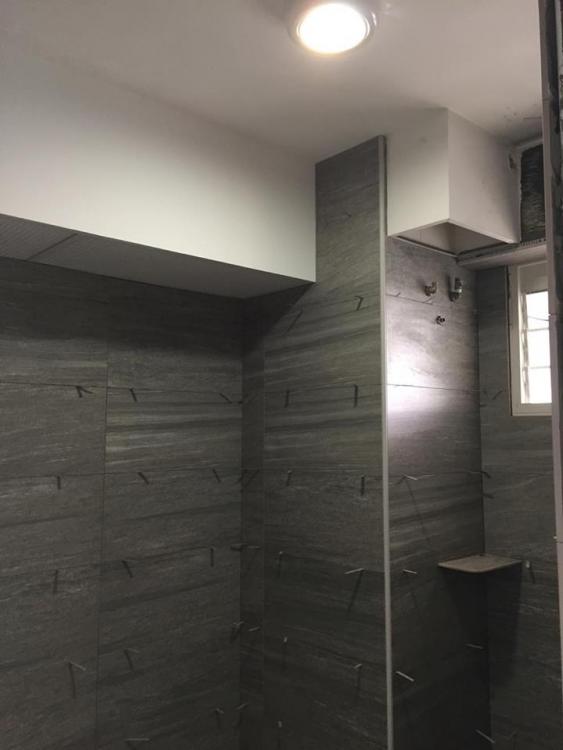
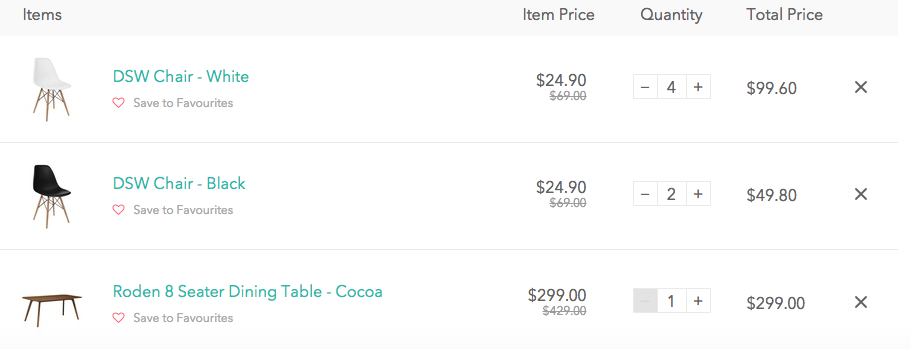
So some small updates. - Forgot to mention that tiles were chosen from Soon Bee Huat at Changi road. - Done selection of laminate and wall colour. Very long and tiring process. My advise is to gather a "mood board" in which you bookmark all the various designs of house you like and chose based on it. - Did some shopping for my dining table, want a long table and found a reasonable priced one in an online store called "Hipvan". Total damage less than $370 with some promo yesterday. - Went to Gain city expo and purchases 3 big electrical items: TV, fridge, washing machine. Price weren't fantastic but $500 purchase using NETS will get $20 voucher. Had $60 in total which is nice. Total damage around $4k. Reno progress: - Toilets tiling are done. - Getting carpentry measurement next week. - Picture of common bathrooom.