



ChildSafeGuru
Members
-
Joined
-
Last visited
Everything posted by ChildSafeGuru
-
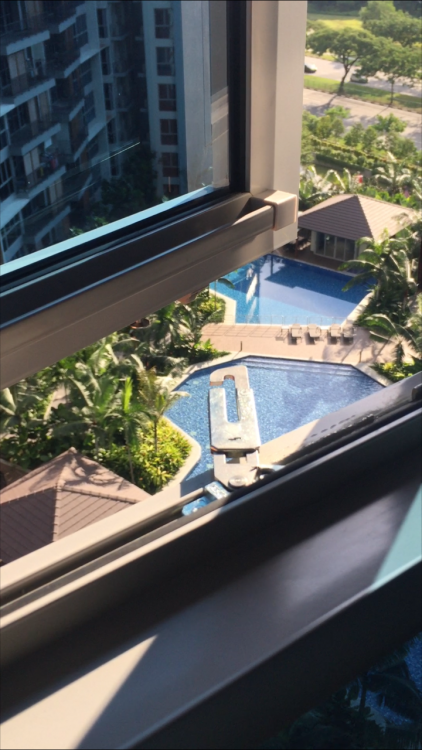
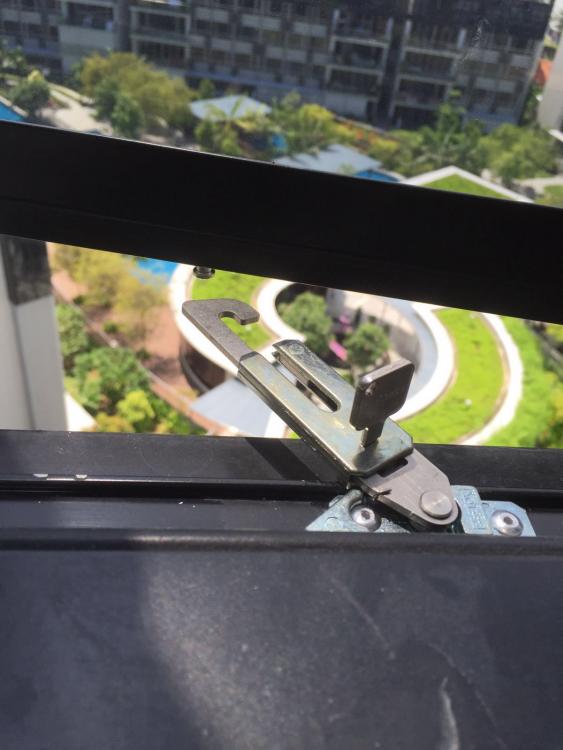
Search "childsafeguru" on Facebook. Window limiters that are Totally concealed along the frame of your casement windows! Preserving the aesthetics of your new home! NO wires NO cables NO grilles! Group buy for Innovative child safety product from Europe! Call / message NOW to find out more! 86-1291-86 (this is a SG Hp number) Take Action NOW Because your loved ones are worth protecting. ♥and your views are worth preserving. Who says you cannot have the best of both worlds! Link to Product Video:https://www.facebook.com/childsafeguru/videos/1704569283130600/
-
Search "childsafeguru" on Facebook. LIKE and SHARE our page to enjoy timely updates on the latest promotions and enjoy substantial discounts! Window limiters that are Totally concealed along the frame of your casement windows! Preserving the aesthetics of your new home! NO wires NO cables NO grilles! Group buy for Innovative child safety product from Europe! Call / message NOW to find out more! 86-1291-86 (this is a SG Hp number ) Take Action NOW Because your loved ones are worth protecting. ♥and your views are worth preserving. Who says you cannot have the best of both worlds! Link to Product Video: https://www.facebook.com/childsafeguru/videos/1704569283130600/