



Anthony Ong
Members
-
Joined
-
Last visited
Everything posted by Anthony Ong
-
Anthony Ong replied to purplegirafffe's topic in Reno t-Blog Chat - HDB Resale Renovation & Interior DesignHi, able to show pics of rest of the house. Wanted to see how the entrance area turns out. Thanks.
-
Anthony Ong replied to purplegirafffe's topic in Reno t-Blog Chat - HDB Resale Renovation & Interior DesignVery nice. Cant wait to see the completed project.
-
Anthony Ong replied to purplegirafffe's topic in Reno t-Blog Chat - HDB Resale Renovation & Interior DesignHi, curious to see if any update to your house..... : )
-
Anthony Ong replied to purplegirafffe's topic in Reno t-Blog Chat - HDB Resale Renovation & Interior DesignHi, thanks for your information and proposed layout. No TV in living hall? So no entertainment space in the living hall?
-
Anthony Ong replied to purplegirafffe's topic in Reno t-Blog Chat - HDB Resale Renovation & Interior Design"mudroom" cum shoe storage for entrance hall way
-
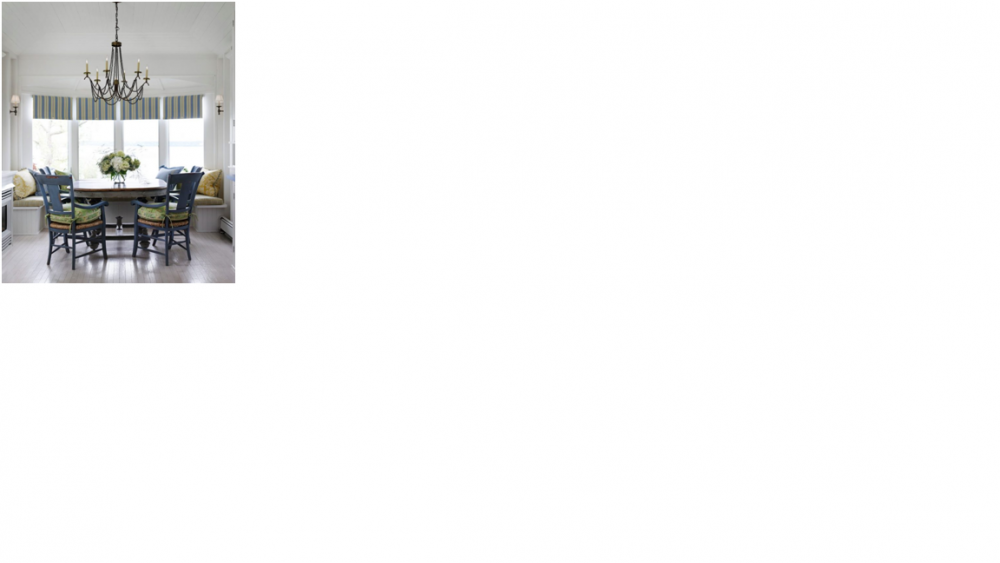
Anthony Ong replied to purplegirafffe's topic in Reno t-Blog Chat - HDB Resale Renovation & Interior DesignHi, i also intend to place the dining table near the window near the service balcony and do a "mudroom" cum shoe storage as per your design. Can I check if the space will be very tight with dining table, chairs and sofa near that area? I intend to do a dining bench near the window like this. Just worried if there will be enough space.
-
Anthony Ong replied to purplegirafffe's topic in Reno t-Blog Chat - HDB Resale Renovation & Interior DesignHi, I like the design of your house and "stealing" some ideas as I intend to renovate country style too for my EM. How much is your reno cost? Thanks for information. Regards, Anthony