



Skip to content
View in the app

A better way to browse. Learn more.

RenoTalk.com ™

A full-screen app on your home screen with push notifications, badges and more.

To install this app on iOS and iPadOS
  1. Tap the Share icon in Safari
  2. Scroll the menu and tap Add to Home Screen.
  3. Tap Add in the top-right corner.
To install this app on Android
  1. Tap the 3-dot menu (⋮) in the top-right corner of the browser.
  2. Tap Add to Home screen or Install app.
  3. Confirm by tapping Install.

aglth

Members
  • Joined

  • Last visited

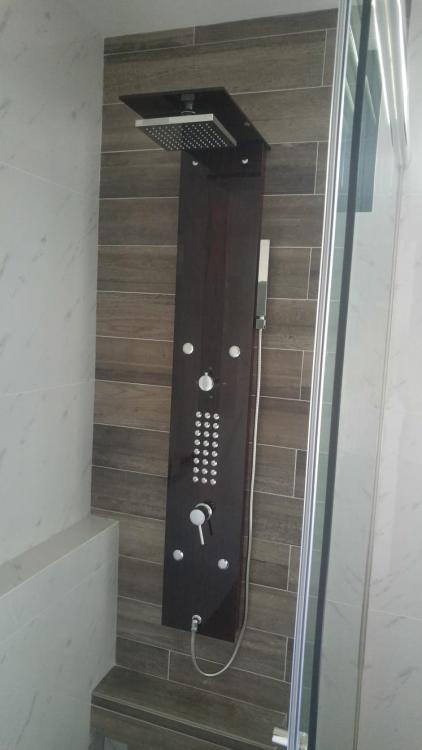
  1. Has anyone installed this before in old hdb flat? I am staying on 23rd floor. How is the pressure? I am using heater storage tank.. Any review from AP trading? Please share your advice. Thanks in advance.
  2. Hi I am a pretty new member. I googled but dont seem to find many discussions about electrical appliances. I would like recommendations for Hod Hood Oven Thanks in advance
  3. May i ask if anyone has puchased mixer, rain shower from bathroom warehouse? Hows the quality for their inhouse brand h+m? Any other brands/shops to recommend? Thanks in advance
  4. Please pm or email your plumber contact to me please aglth@yahoo.com Thank u

Account

Navigation

Search

Search

Configure browser push notifications

Chrome (Android)
  1. Tap the lock icon next to the address bar.
  2. Tap Permissions → Notifications.
  3. Adjust your preference.
Chrome (Desktop)
  1. Click the padlock icon in the address bar.
  2. Select Site settings.
  3. Find Notifications and adjust your preference.