
Soh Yi Xuan Shane
Members
-
Joined
-
Last visited
Everything posted by Soh Yi Xuan Shane
-
Soh Yi Xuan Shane replied to Soh Yi Xuan Shane's topic in Landed & Condo Private Properties Renovation DiscussionPmed
-
Soh Yi Xuan Shane replied to Soh Yi Xuan Shane's topic in Landed & Condo Private Properties Renovation DiscussionPmed
-
Soh Yi Xuan Shane replied to cow28's topic in Landed & Condo Private Properties Renovation Discussioni cant seem to pm you.
-
Soh Yi Xuan Shane replied to Soh Yi Xuan Shane's topic in Landed & Condo Private Properties Renovation Discussionpmed
-
Soh Yi Xuan Shane replied to Soh Yi Xuan Shane's topic in Landed & Condo Private Properties Renovation DiscussionPmed:)
-
Soh Yi Xuan Shane replied to Soh Yi Xuan Shane's topic in Landed & Condo Private Properties Renovation DiscussionHve PM-ed you guys!
-
Soh Yi Xuan Shane replied to Soh Yi Xuan Shane's topic in Landed & Condo Private Properties Renovation DiscussionPmed You
-
Soh Yi Xuan Shane replied to Soh Yi Xuan Shane's topic in Landed & Condo Private Properties Renovation DiscussionThanks alot! Very happy with my decision to engage an efficient contractor who made sure everything was in order, from the start all the way til the end.
-
Soh Yi Xuan Shane replied to Soh Yi Xuan Shane's topic in Landed & Condo Private Properties Renovation DiscussionThank you! Sure Pm me for details
-
Soh Yi Xuan Shane replied to mamamiasimmy's topic in Landed & Condo Private Properties Renovation Discussionsure! pm me for more info
-
Soh Yi Xuan Shane replied to cow28's topic in Landed & Condo Private Properties Renovation Discussionstill looking?
-
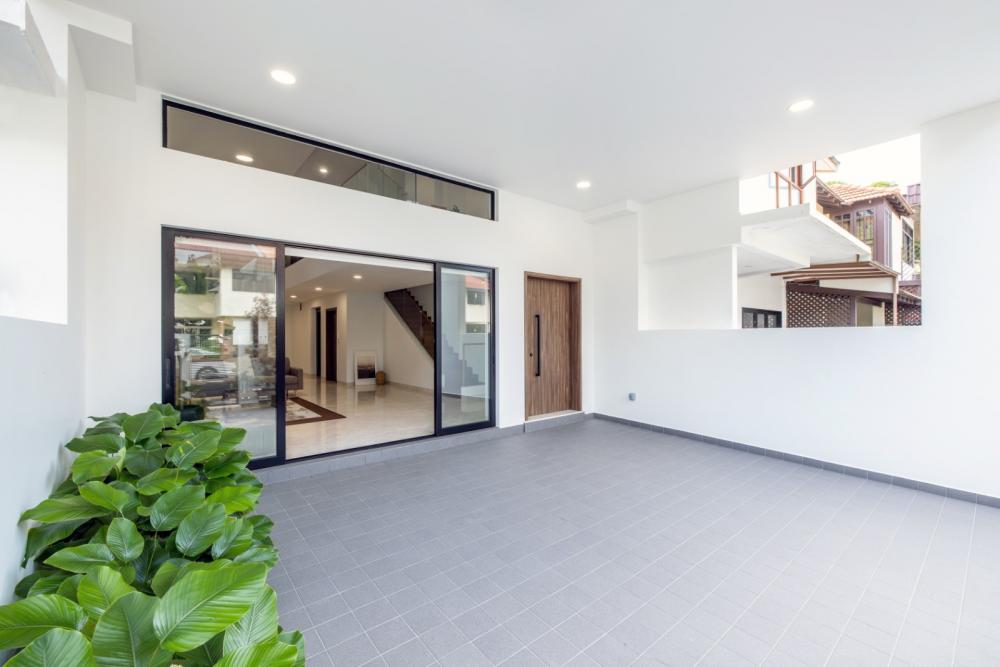
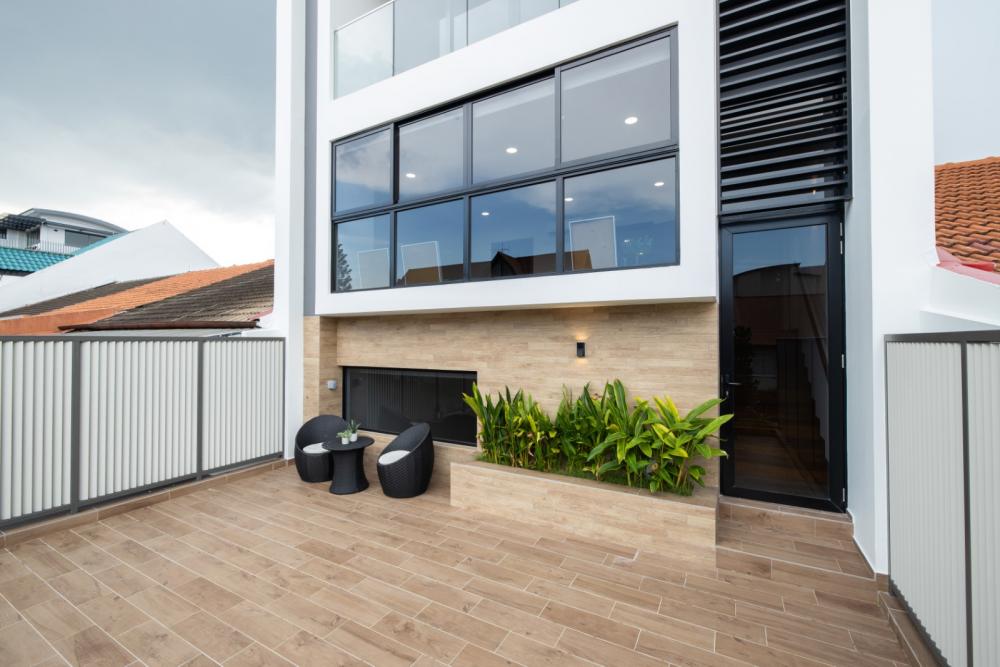
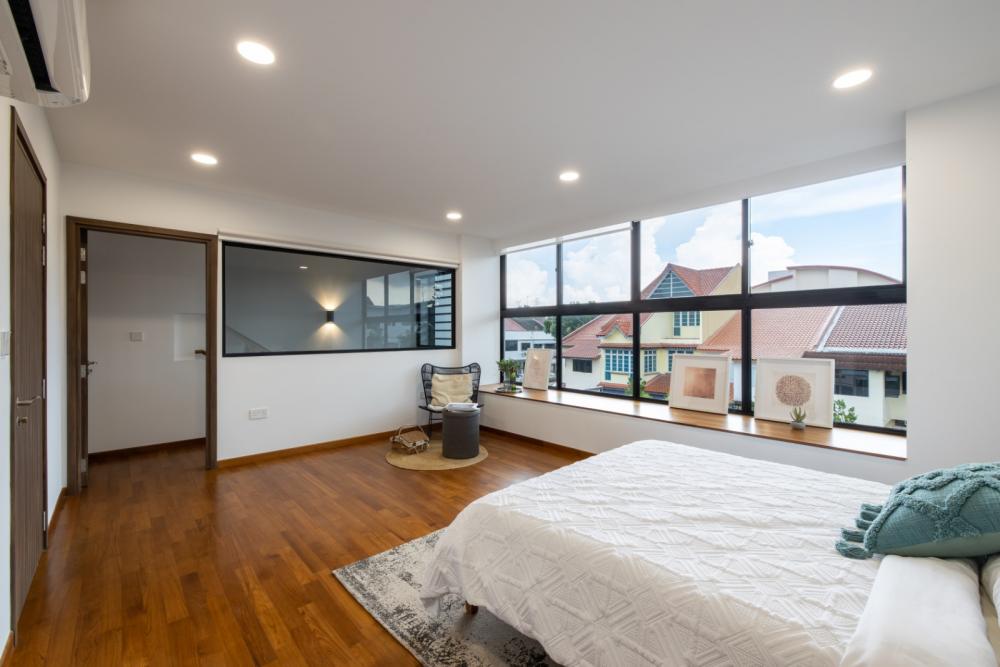
Im pretty happy with my contractor which I've decided to go ahead with after hearing friends recommendation. Here is the finished product!

-
Soh Yi Xuan Shane replied to mamamiasimmy's topic in Landed & Condo Private Properties Renovation DiscussionMy friend had something like this done. Dont know if you are still looking, but can pm me if you need the contact