



Skip to content
View in the app

A better way to browse. Learn more.

RenoTalk.com ™

A full-screen app on your home screen with push notifications, badges and more.

To install this app on iOS and iPadOS
  1. Tap the Share icon in Safari
  2. Scroll the menu and tap Add to Home Screen.
  3. Tap Add in the top-right corner.
To install this app on Android
  1. Tap the 3-dot menu (⋮) in the top-right corner of the browser.
  2. Tap Add to Home screen or Install app.
  3. Confirm by tapping Install.

hawa

Members
  • Joined

  • Last visited

  1. hawa posted a topic in DIY Corner
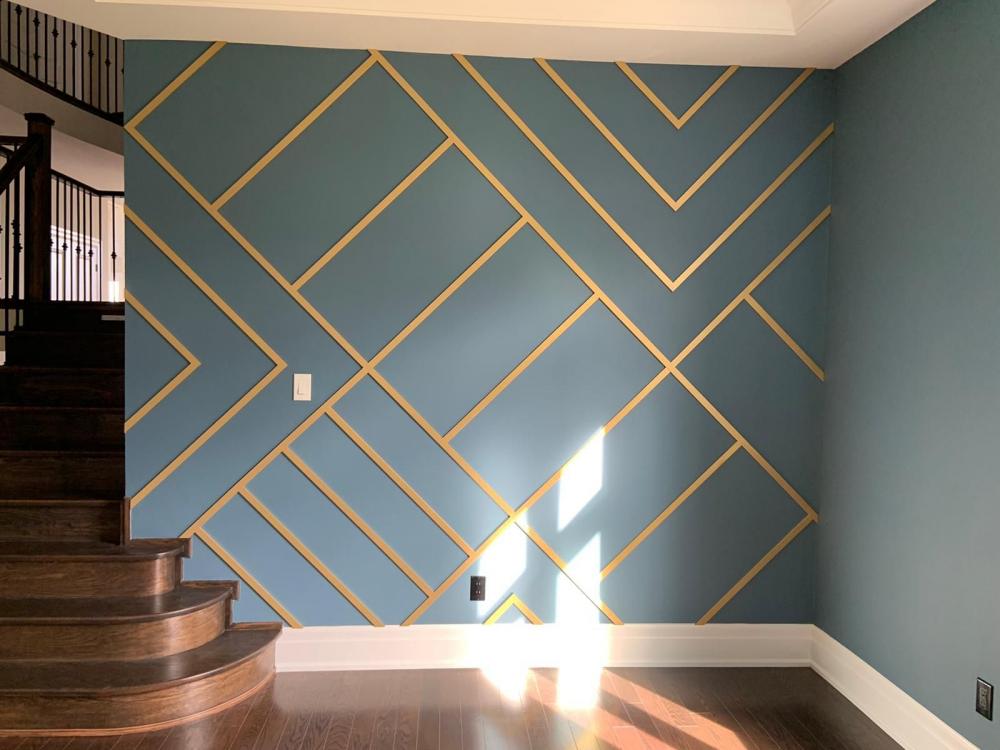
    Hi, my name is hawa and a new member here and also a owner of a 5 room resale . Looking for some DIY deco tips as cov was a killer and i have a very tight budget for the reno now . pls share with me tips on where to get good bathroom fittings and aircons, water heaters. Also i am planning to do a DIY wainscoting on the hall , any tips , anyone who have theirs done plz share with me pics . also is it still in trend ?
Account

Navigation

Search

Search

Configure browser push notifications

Chrome (Android)
  1. Tap the lock icon next to the address bar.
  2. Tap Permissions → Notifications.
  3. Adjust your preference.
Chrome (Desktop)
  1. Click the padlock icon in the address bar.
  2. Select Site settings.
  3. Find Notifications and adjust your preference.