Skip to content
View in the app

A better way to browse. Learn more.

RenoTalk.com ™

A full-screen app on your home screen with push notifications, badges and more.

To install this app on iOS and iPadOS
  1. Tap the Share icon in Safari
  2. Scroll the menu and tap Add to Home Screen.
  3. Tap Add in the top-right corner.
To install this app on Android
  1. Tap the 3-dot menu (⋮) in the top-right corner of the browser.
  2. Tap Add to Home screen or Install app.
  3. Confirm by tapping Install.

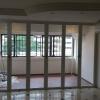
Aluminium And Laminated Glass Bi-Fold Doors

Featured Replies

Dear members of this forum,

If you are looking for any

-High Grade Aluminium

-Laminated Glass BI-FOLD Doors.

-Toilets

-Kitchen Entrances

-Study Rooms Entrances

-Balcony Dividers

-Room Dividers

Please do not hesitate to contact us for a quote or inquiry

We, Deluxe Fold Doors, specialized in aluminium and laminated glass works with high durability and efficient flexibility

All our products comes with 2 YEARS warranty.

Below is our website and Facebook profile, please feel free to visit us:

Website: http://www.deluxefd.com

Facebook: https://www.facebook.com/pages/Deluxe-Fold-Door-Private-Limited/273327739483399

1ED4oYMa4BSy7fn14Mjr2elE6SAlN_thumb.jpg

Edited by Jason Poh

  • 2 weeks later...
  • Author

Please keep this thread trending. Thank you very much.

  • 3 weeks later...
  • Author

Please keep this thread trending. Thank you very much.

  • Author

Upcoming event for December, 2014

Dear members of Renotalk forum,

The annual Home Planner 2015 exihibition will be on in 31 days. Please do drop by for more promotions and offers.

Our booth will be updated via Website, stay tuned for more news and events!

CHEERS!! The holiday season is arriving, spend this wonderful season at the Home Planner 2015 exihibiton with your friends and famililes

Website: http://myhomeinternational.com.sg/

  • Author

Dear members of Renotalk forum,

Please do visit our website for constant update of completed projects. we will be updating on a weekly basis.

Thank you very much, Cheers!

Create an account or sign in to comment

Account

Navigation

Search

Search

Configure browser push notifications

Chrome (Android)
  1. Tap the lock icon next to the address bar.
  2. Tap Permissions → Notifications.
  3. Adjust your preference.
Chrome (Desktop)
  1. Click the padlock icon in the address bar.
  2. Select Site settings.
  3. Find Notifications and adjust your preference.