Skip to content
View in the app

A better way to browse. Learn more.

RenoTalk.com ™

A full-screen app on your home screen with push notifications, badges and more.

To install this app on iOS and iPadOS
  1. Tap the Share icon in Safari
  2. Scroll the menu and tap Add to Home Screen.
  3. Tap Add in the top-right corner.
To install this app on Android
  1. Tap the 3-dot menu (⋮) in the top-right corner of the browser.
  2. Tap Add to Home screen or Install app.
  3. Confirm by tapping Install.

Circulo, The Smartphone Bedroom Digital Lock at $229 Each Call 91616282

Featured Replies

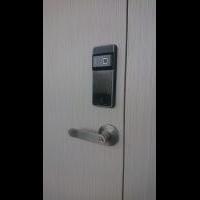
New Product Launch ??? Circulo, The Smartphone Bedroom Digital Lock at $229 Each


1. 100 Fingerprint

2. Up to 100 card, 2 given

3. 100 password

4. Time Attendance Uses 4 AAA Batteries, with emergency power bank support ???


Order Now and get it today 91616282 (24/7) speak English and Mandarin


Call our Mobile Showroom and we will drive to show you today ???


www.mydigitallock2018.com.sg


**** MY Digital Lock Showroom (Since 2018)****


51 Bukit Batok Cres, #05-14 Singapore 658077

Office: 91616282 / 81951253


#HDBDoor #Firerateddoor #laminatedoor #bedroomdoor #maindoor #condodoor #btodoor #veneerdoor #doorfactory #cheapestdoor #hdbgate #mildsteelgate #wroughtirongate #firerateddoor #digitallock #samsungdigitallock #epicdigitallock #keywedigitallock #gatemandigitallock #samsungdr708digitallock #Samsungdr738digitallock #cheapestdigitallock #digitaldoorlock #toiletdoor #koreadigitallock #homeautomation #latestdigitallock #MYDIGITALLOCK #gatedigitallock #pushpulldigitallock #locksmithdigitallock #breakdigitallock #installationservicesdigitallock

Circulo, The Smartphone Bedroom Digital Lock.jpg

62560930_2847787208595708_7554324522741006336_n.jpg

61278606_2800737186634044_9127525787195408384_n.jpg

61465008_2800736039967492_5624250130694668288_n.jpg

Create an account or sign in to comment

Account

Navigation

Search

Search

Configure browser push notifications

Chrome (Android)
  1. Tap the lock icon next to the address bar.
  2. Tap Permissions → Notifications.
  3. Adjust your preference.
Chrome (Desktop)
  1. Click the padlock icon in the address bar.
  2. Select Site settings.
  3. Find Notifications and adjust your preference.