Skip to content
View in the app

A better way to browse. Learn more.

RenoTalk.com ™

A full-screen app on your home screen with push notifications, badges and more.

To install this app on iOS and iPadOS
  1. Tap the Share icon in Safari
  2. Scroll the menu and tap Add to Home Screen.
  3. Tap Add in the top-right corner.
To install this app on Android
  1. Tap the 3-dot menu (⋮) in the top-right corner of the browser.
  2. Tap Add to Home screen or Install app.
  3. Confirm by tapping Install.

2020 Clerance Sale for Digital lock

Featured Replies


098.png.28fbb1eeccae8d82a37df9a2023221e7.png

Order Now and we will Deliver to you within 48 hours?(FREE)

All comes with 6 months warranty?

1. Keywe Deadbolt (Red) ($220)

?Pin

?RFID Card

?Bluetooth

?WiFi ($50 wifi bridge)

?Emergency Keys


2. Keywe Round Digital Lock ($90)

?Pin

?Bluetooth

?WiFi ($50 wifi bridge)


3. Epic Gold Card Digital Lock ($200)

?Pin

?RFID Card


4. Mazi Fingerprint Push Pull Digital Lock ($400)

?Pin

?Fingerprint

?RFID Card

?Bluetooth

?WiFi ($50 wifi bridge)


5. Keywe Pulse Push Pull Digital Lock ($430)

?Pin

?Fingerprint

?RFID Card

?Bluetooth

?WiFi ($50 wifi bridge)

?Emergency Keys


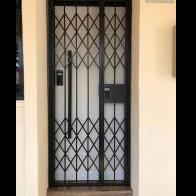
6. Epic Gold Card Gate Digital Lock ($300)

?Pin

?RFID Card

?Emergency Keys

?Remote Control


7. Smartphone Door Viewer ($260)

?Motion Dection

?Mobile Apps Control

?2 ways communication

?Recorder

(Available in Silver or Champange Gold)

Call I Whatsapp I SMS 9617 7025 Leon for more information or details.

www.mydigitallock.com.sg

#HDBDoor #Firerateddoor #maindoor #condodoor #btodoor #doorfactory #cheapestdoor #hdbgate #mildsteelgate #wroughtirongate #firerateddoor #digitallock #samsungdigitallock #epicdigitallock #keywedigitallock #gatemandigitallock #cheapestdigitallock #digitaldoorlock #toiletdoor #koreadigitallock #homeautomation #latestdigitallock #MYDIGITALLOCK #hariraya #locksmith #digitallockspoil #24hoursdigitallock #circuitbreaker #cbdigitallock

Create an account or sign in to comment

Account

Navigation

Search

Search

Configure browser push notifications

Chrome (Android)
  1. Tap the lock icon next to the address bar.
  2. Tap Permissions → Notifications.
  3. Adjust your preference.
Chrome (Desktop)
  1. Click the padlock icon in the address bar.
  2. Select Site settings.
  3. Find Notifications and adjust your preference.