Skip to content
View in the app

A better way to browse. Learn more.

RenoTalk.com ™

A full-screen app on your home screen with push notifications, badges and more.

To install this app on iOS and iPadOS
  1. Tap the Share icon in Safari
  2. Scroll the menu and tap Add to Home Screen.
  3. Tap Add in the top-right corner.
To install this app on Android
  1. Tap the 3-dot menu (⋮) in the top-right corner of the browser.
  2. Tap Add to Home screen or Install app.
  3. Confirm by tapping Install.

Cheapest Epic Gold Card Digital Lock in Singapore Call 96177025

Featured Replies

My Digital Lock is selling the Epic Gold Card Digital Lock at $200 (U.P. $399)


-Free Delivery (during this period we able to do delivery)

-Free 4 RFID Cards


Function Pin and Card (100% Made in Korea)


You can call or whatsapp me Leon 96177025 to purchase or we can arrange mobile showroom to show you the latest digital lock


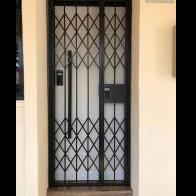
Besides Digital Lock, we retail Interior Design HDB Main Door, bedroom Door, toilet door and HDB gate


Visit our website 

https://www.mydigitallock.com.sg/

or facebook page for the latest promotion


When you Purchase Samsung Digital Lock , you will receive

1.$50 Discount on EPIC 5G Pro Gate Digital Lock

2.$100 Discount on HDB Main Door

3.$50 Discount on HDB Gate

4.$50 Discount on Bedroom Door

5.$50 Discount on PVC Toilet Door

6.$100 Discount on My President Mattress Mattress

After you purchase any of the 6th items, you will receive a digital door viewer for FREE


#HDBDoor #Firerateddoor #maindoor #condodoor #btodoor #doorfactory #cheapestdoor #hdbgate #mildsteelgate #wroughtirongate #firerateddoor #digitallock #samsungdigitallock #epicdigitallock #keywedigitallock #gatemandigitallock #cheapestdigitallock #digitaldoorlock #toiletdoor #koreadigitallock #homeautomation #latestdigitallock #MYDIGITALLOCK #hariraya #locksmith #digitallockspoil #24hoursdigitallock #circuitbreaker #cbdigitallock

;ssqweqe.jpg

0000sad.jpg

71208503_3132622863445473_5939490387939819520_n.jpg

87034905_3603569983017423_3189419426696921088_o.jpg

wqeqwe.jpg

Create an account or sign in to comment

Account

Navigation

Search

Search

Configure browser push notifications

Chrome (Android)
  1. Tap the lock icon next to the address bar.
  2. Tap Permissions → Notifications.
  3. Adjust your preference.
Chrome (Desktop)
  1. Click the padlock icon in the address bar.
  2. Select Site settings.
  3. Find Notifications and adjust your preference.