Skip to content
View in the app

A better way to browse. Learn more.

RenoTalk.com ™

A full-screen app on your home screen with push notifications, badges and more.

To install this app on iOS and iPadOS
  1. Tap the Share icon in Safari
  2. Scroll the menu and tap Add to Home Screen.
  3. Tap Add in the top-right corner.
To install this app on Android
  1. Tap the 3-dot menu (⋮) in the top-right corner of the browser.
  2. Tap Add to Home screen or Install app.
  3. Confirm by tapping Install.

Samsung SHP DP 609 with Kaiser+ Gate Lock only at $1250 call 88668884

Featured Replies

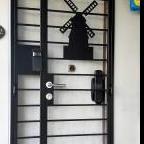
Samsung SHP DP 609 with Kaiser+ Gate Lock Gate Lock only at $1250 with FREE Digital Door Viewer (Worth $128)
Price included installation and programming! Limited Stock!
Features (Samsung DR 708) :
1. Pincode
2. Fingerprint (100 fingerprint)
3. RFID Card (4 card is given)
4. Emergency Keys
5. Mobile App (Wifi)

Features (Kaiser+ Gate Lock)
1. Pincode
2. Fingerprint
3. RFID Card (4 card is given)
4. Emergency Keys (at back)
5. Remote Control


*NO METAL BOX BEHIND THE GATE
Free installation and comes with 2 Year Warranty
Free 8 Cards & 1 Remote Control
100% Made in Korea

Visit Us at
Ang Mo Kio Hub(North East)*
Basement 2 B2-14
Hp 88668884

#HDBDoor#Firerateddoor#laminatedoor#bedroomdoor#maindoor#condodoor#btodoor #veneerdoor#doorfactory #cheapestdoor #hdbgate #mildsteelgate #wroughtirongate #firerateddoor #digitallock #samsungdigitallock #epicdigitallock #keywedigitallock #gatemandigitallock #samsungdr708digitallock #Samsungdr738digitallock #cheapestdigitallock #digitaldoorlock #toiletdoor #koreadigitallock #homeautomation #mydigitallock

7589e0b5-5e88-4070-b7e8-392fc650b802.jpg

samsung_dp609__kaiser_gate_loc_1612702113_88449e50_progressive.jpg

Create an account or sign in to comment

Account

Navigation

Search

Search

Configure browser push notifications

Chrome (Android)
  1. Tap the lock icon next to the address bar.
  2. Tap Permissions → Notifications.
  3. Adjust your preference.
Chrome (Desktop)
  1. Click the padlock icon in the address bar.
  2. Select Site settings.
  3. Find Notifications and adjust your preference.