Skip to content
View in the app

A better way to browse. Learn more.

RenoTalk.com ™

A full-screen app on your home screen with push notifications, badges and more.

To install this app on iOS and iPadOS
  1. Tap the Share icon in Safari
  2. Scroll the menu and tap Add to Home Screen.
  3. Tap Add in the top-right corner.
To install this app on Android
  1. Tap the 3-dot menu (⋮) in the top-right corner of the browser.
  2. Tap Add to Home screen or Install app.
  3. Confirm by tapping Install.

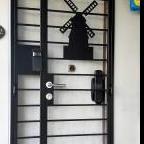
Latest Samsung Mortise Digital lock at $569 Only ,Call 88668884

Featured Replies

One of the Most Exclusive and basic Samsung Digital Lock Amongst the entire series.

SHP-P50
Beautiful designed in gold color!

This is the most basic Push Pull Digital Lock in the market.

With Push handle lock . But no push pull feel

Unique Features :
1. Pincode 2. Fingerprint (100 fingerprint) 3. RFID Card (4 card is given) 4. Emergency Keys (2 keys is given)
wifi / Bluetooth

Free installation and comes with 1 Year Warranty

Call 88668884 for More Details

#HDBDoor #Firerateddoor #laminatedoor #bedroomdoor #maindoor #condodoor #btodoor #veneerdoor #doorfactory #cheapestdoor #hdbgate #mildsteelgate #wroughtirongate #firerateddoor #digitallock #samsungdigitallock #epicdigitallock #keywedigitallock #gatemandigitallock #samsungdr708digitallock #Samsungdr609digitallock #cheapestdigitallock #digitaldoorlock #toiletdoor #koreadigitallock #homeautomation #mydigitallock

P50.jpg

O1CN01s2HQLT1cDjRoIIiJw_!!129803567.jpg

Create an account or sign in to comment

Account

Navigation

Search

Search

Configure browser push notifications

Chrome (Android)
  1. Tap the lock icon next to the address bar.
  2. Tap Permissions → Notifications.
  3. Adjust your preference.
Chrome (Desktop)
  1. Click the padlock icon in the address bar.
  2. Select Site settings.
  3. Find Notifications and adjust your preference.