Skip to content
View in the app

A better way to browse. Learn more.

RenoTalk.com ™

A full-screen app on your home screen with push notifications, badges and more.

To install this app on iOS and iPadOS
  1. Tap the Share icon in Safari
  2. Scroll the menu and tap Add to Home Screen.
  3. Tap Add in the top-right corner.
To install this app on Android
  1. Tap the 3-dot menu (⋮) in the top-right corner of the browser.
  2. Tap Add to Home screen or Install app.
  3. Confirm by tapping Install.

HDB Mild Steel Gate Promotion,$580/$680, Call 88668884

Featured Replies

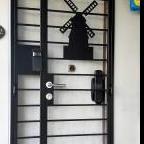
HDB Mild Steel Gate from $580 Less $50 for Gate Digital Lock


My Digital Lock, we specialise in customizing HDB Gate for digital lock for 8 years

More than 100 designs to choose price from $580

All Types of HDB Gate , Mild steel, wrought iron and Kato Laser Cut Gate Avaliable for you to choose

Call me 88668884 to arrange mobile showroom to show you the latest HDB gate design with digital lock


Besides HDB Gate, we retail Interior Design HDB Main Door, bedroom Door, toilet door and smartphone Gate digital lock

Visit our website

https://www.mydigitallock.com.sg/

or facebook page for the latest promotion


When you Purchase Designer HDB Gate , you will receive

1. $50 Discount on EPIC 5G Pro Gate Digital Lock

2. $100 Discount on HDB Main Door

3. $50 Discount on Main Door 5G Digital Lock

4. $50 Discount on Bedroom Door

5. $50 Discount on PVC Toilet Door

6. $100 Discount on My President Mattress Mattress


After you purchase any of the 6th items, you will receive a digital door viewer


Ang Mo Kio Hub(North East)******
Basement 2 B2-14
Hp 88668884

#HDBDoor #Firerateddoor #laminatedoor #bedroomdoor #maindoor #condodoor #btodoor #veneerdoor #doorfactory #cheapestdoor #hdbgate #mildsteelgate #wroughtirongate #firerateddoor #digitallock #samsungdigitallock #epicdigitallock #keywedigitallock #gatemandigitallock #samsungdr708digitallock #Samsungdr738digitallock #cheapestdigitallock #digitaldoorlock #toiletdoor #koreadigitallock #homeautomation #mydigitallock

504656ac-bf62-4c4a-8ff2-668b9d872a1b.jpg

69858339_632896683783516_9057484852101644288_n.jpg

69926593_632169033856281_1785320645412782080_n.jpg

110332493_4161562020551547_1434518661310342801_o.jpg

a448430c-d960-4b32-afa6-083dfa918862.jpg

Create an account or sign in to comment

Account

Navigation

Search

Search

Configure browser push notifications

Chrome (Android)
  1. Tap the lock icon next to the address bar.
  2. Tap Permissions → Notifications.
  3. Adjust your preference.
Chrome (Desktop)
  1. Click the padlock icon in the address bar.
  2. Select Site settings.
  3. Find Notifications and adjust your preference.