Skip to content
View in the app

A better way to browse. Learn more.

RenoTalk.com ™

A full-screen app on your home screen with push notifications, badges and more.

To install this app on iOS and iPadOS
  1. Tap the Share icon in Safari
  2. Scroll the menu and tap Add to Home Screen.
  3. Tap Add in the top-right corner.
To install this app on Android
  1. Tap the 3-dot menu (⋮) in the top-right corner of the browser.
  2. Tap Add to Home screen or Install app.
  3. Confirm by tapping Install.

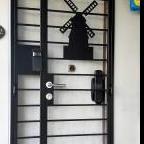
Epic Gold card digital lock for door and gate @$599,Call 88668884

Featured Replies

The Most Popular and affordable HDB & Condo digital lock in 2021
Now comes with 1+2 years warranty

1) Epic Space Grey Card Digital lock $259
2) Epic Space Grey Card Gate lock $350
Get both at $525 with 1 year warranty
Top up $75 to upgrade to Satin Gold Card lock with 1+2 years warranty
Add $300 to upgrade for both fingerprint, with Bluetooth features
Epic Satin Gold Digital Lock is the nicest digital lock you can find in the market that matches all types of HDB door and gate perfectly
Promotion
1) less $50 for Designer Main Door
2) less $50 for HDB Designer Gate
3) less $100 for My President Mattress
Order Now and get it today 88668884(24/7) speak English and Mandarin
Call our Mobile Showroom 98440884 and we will drive to show you today
www.mydigitallock.com.sg
https://mypresidentmattress.com.sg/
Free Delivery worth $150, Deliver within 24 Hours, endorse by most Singapore celebrities
Free Taxi Rebate (Twice the amount) with Any Purchase

**** Ang Mo Kio Hub (North East)***
B2-14, opposite NTUC
Hp 88668884


#HDBDoor #Firerateddoor #laminatedoor #bedroomdoor #maindoor #condodoor #btodoor #veneerdoor #doorfactory #cheapestdoor #hdbgate #mildsteelgate #wroughtirongate #firerateddoor #digitallock #samsungdigitallock #epicdigitallock #keywedigitallock #gatemandigitallock #samsungdr708digitallock #Samsungdr738digitallock #cheapestdigitallock #digitaldoorlock #toiletdoor #koreadigitallock #homeautomation #mydigitallock

32743b72-aeee-4011-901a-ed098679735c.jpg

231194683_5949678005073264_4578685454927751121_n.jpg

Create an account or sign in to comment

Account

Navigation

Search

Search

Configure browser push notifications

Chrome (Android)
  1. Tap the lock icon next to the address bar.
  2. Tap Permissions → Notifications.
  3. Adjust your preference.
Chrome (Desktop)
  1. Click the padlock icon in the address bar.
  2. Select Site settings.
  3. Find Notifications and adjust your preference.