Magenta
Members
-
Joined
-
Last visited
-
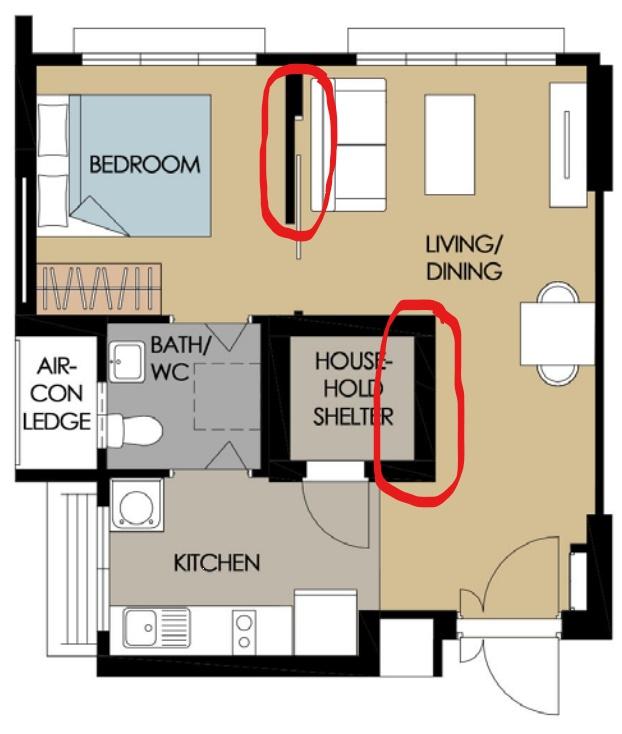
Thank you so much for the feedback, peeps! Really appreciate it! Will keep your tips and advice in mind during my planning. Definitely will be looking into separating the wet and dry areas in the bathroom, which will be quite a headache because it looks so tiny! But hopefully able to figure something out. Adding a mirror to that bomb shelter facade is a great idea! And that small space between the living room wall and shelter wall, will need to utilise that in a smart way.
-
Hi All! Pretty excited to get my apartment next year! When I was looking at the floor plan again, I'm kinda feeling down about a couple of things. The sliding door partition is indicated with a bold line. Does that mean I can't hack down the partition? Coz I intend to make the space between the bedroom and living room be seamless. And the bomb shelter jutting out in the living room is really quite an eyesore. Anyone's layout is similar as such? And how do you mask that or make use of that protruding wall?