


lovemekate
Members
-
Joined
-
Last visited
Everything posted by lovemekate
-
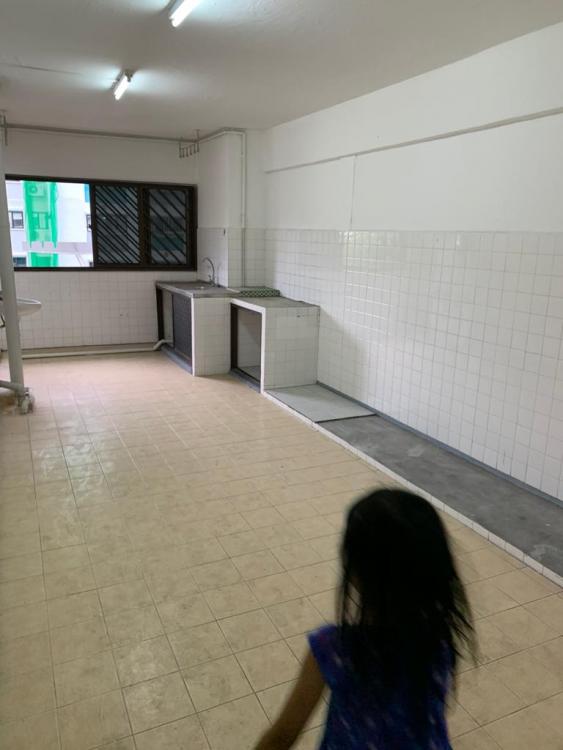
Hello everyone, after 5 years, we've finally decided to sell our BTO. We're moving to an older unit and so we'll need the whole house revamped (except the toilets since HIP will be done during our reno or after we move in. no news now since covid happened). I'm looking for a contractor (not ID - sorry! my budget is pretty low). I'd appreciate it if you could share with me GOOD contractors' contact details, please? Photo - that's my kitchen.. nothing much to be hacked! I bought this unit, owned by JTC! I guess they hacked ALL the cabinets (kitchen and bedrooms) since it's an empty house! Thankful that I don't have to spend big bucks for hacking! Thank you so much guys! The contact details will really help me a lot Have a wonderful day.
-
-
lovemekate replied to Taki's topic in Renovation Contractors, Interior Designers & Suppliers ReviewsCongratulations! May I have your contractor's contact, please? thanks!
-
Hello Hanna, i'm getting my house keys next month - may I have your contractor's contact details, please? thanks
-
lovemekate replied to Sheena Smita's topic in Reno t-Blog Chat - HDB Resale Renovation & Interior DesignHello, thanks for sharing your story. May i have Mr. Seah's contact details, please? thanks