Skip to content
View in the app

A better way to browse. Learn more.

RenoTalk.com ™

A full-screen app on your home screen with push notifications, badges and more.

To install this app on iOS and iPadOS
  1. Tap the Share icon in Safari
  2. Scroll the menu and tap Add to Home Screen.
  3. Tap Add in the top-right corner.
To install this app on Android
  1. Tap the 3-dot menu (⋮) in the top-right corner of the browser.
  2. Tap Add to Home screen or Install app.
  3. Confirm by tapping Install.

Mazi Smartphone digital lock for $799 Call 91616282 Elaine

Featured Replies

First New launch for Mazi Smartphone Digital lock in 2019 ????


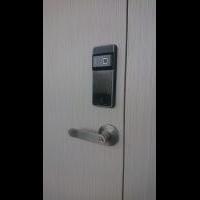
1) Mazi Smartphone digital lock for $799

With 1+2 years warranty One of the nicest project for April 2019 ??

Five Greatest Features

1. Unlock using Bluetooth (keywe app)

2. Unlock using Wi-Fi using bridge at $50

3. 100 fingerprint

4. Up to 100 card, 4 given

5.. Password Mobile app Features

A) Time attendance

B,) Invite guest give guest code

C) Smart open when you walk near the digital lock

Able to delete individual fingerprint and card


Further Discount if you just need 1 year warranty


Order Now and get it today 91616282 Elaine (24/7) speak English and Mandarin


Call our Mobile Showroom and we will drive to show you today ???

www.mydigitallock2018.com.sg

Free Taxi Rebate (Twice the amount) with Any Purchase ??

**** My Digital Lock Showroom (Since 2018)**** 51 Bukit Batok Cres, #05-14 Singapore 658077

Office: 91616282 / 81951253


#HDBDoor #Firerateddoor #laminatedoor #bedroomdoor #maindoor #condodoor #btodoor #veneerdoor #doorfactory #cheapestdoor #hdbgate #mildsteelgate #wroughtirongate #firerateddoor #digitallock #samsungdigitallock #epicdigitallock #keywedigitallock #gatemandigitallock #samsungdr708digitallock #Samsungdr738digitallock #cheapestdigitallock #digitaldoorlock #toiletdoor #koreadigitallock #homeautomation #latestdigitallock #MYDIGITALLOCK #gatedigitallock #pushpulldigitallock #locksmithdigitallock #breakdigitallock #installationservicesdigitallock


35a95cf4694007b45f25eab5ff1ef651.jpg

9c085d2f-64c5-4f95-89c2-a21af0d1f010.jpg

42086263_2244558738918561_528955716770201600_n.jpg

41930089_2244558855585216_2003101566361403392_n.jpg

58463042_2730353927005704_7767410713722617856_n.jpg

Create an account or sign in to comment

Account

Navigation

Search

Search

Configure browser push notifications

Chrome (Android)
  1. Tap the lock icon next to the address bar.
  2. Tap Permissions → Notifications.
  3. Adjust your preference.
Chrome (Desktop)
  1. Click the padlock icon in the address bar.
  2. Select Site settings.
  3. Find Notifications and adjust your preference.