Skip to content
View in the app

A better way to browse. Learn more.

RenoTalk.com ™

A full-screen app on your home screen with push notifications, badges and more.

To install this app on iOS and iPadOS
  1. Tap the Share icon in Safari
  2. Scroll the menu and tap Add to Home Screen.
  3. Tap Add in the top-right corner.
To install this app on Android
  1. Tap the 3-dot menu (⋮) in the top-right corner of the browser.
  2. Tap Add to Home screen or Install app.
  3. Confirm by tapping Install.

Chinese New Year 2020 HDB Laser Cut Gate Promotion from $588 add $399 for gate digital lock hp 98440884

Featured Replies

My Digital Lock is having a Chinese New Year Promotion for all types of Laser cut gate 

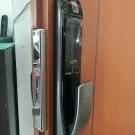
We have a series of Laser cut gate to match our EPIC 5G Gate Digital Lock 

Which allows you to unlock using bluetooth or WIFI

Also all the digital lock is further discount with the HDB Main Door to matches these gate. 

visit https://www.mydigitallock.com.sg/ or

call 98440884 for Mobile Showroom


80061327_10206239825750220_1503143553218379776_n.jpg

80115884_10206239825150205_8957071312744873984_n.jpg

80654756_10206239825470213_6711794059733630976_n.jpg

81032087_10206239824830197_4652213441501593600_n.jpg

Create an account or sign in to comment

Account

Navigation

Search

Search

Configure browser push notifications

Chrome (Android)
  1. Tap the lock icon next to the address bar.
  2. Tap Permissions → Notifications.
  3. Adjust your preference.
Chrome (Desktop)
  1. Click the padlock icon in the address bar.
  2. Select Site settings.
  3. Find Notifications and adjust your preference.