


Leaderboard
-
h530251
Members1Points1Posts -
2Roomer
Members1Points143Posts -
RyanYTH
Members1Points378Posts -
Pauline Poh
Members1Points73Posts


Popular Content
Showing content with the highest reputation on 04/04/17 in Posts
-
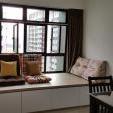
1 pointThanks to SuperZ asking for my post reno pics. Just realised I didnt took enough pics of my renovated house. So I took some this morning.


 1 point
-
1 pointAt least for you, you are going to see the light very soon. For me, I just went to HDB today to sign the agreement.. Current PCD is Nov 2019.. *faint*1 point
-
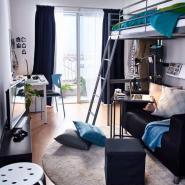
1 pointJust wanna share this renov that i can across at fb. It is for 2 room. very nicely done and they cover up the kitchen toilet door. Semi-Moroccan Style @ HDB Kallang Trivista *** https://www.facebook.com/uhomeinteriordesign/?hc_ref=NEWSFEED ***1 point
-
1 pointHi all, long time no visit. My 2 room is about to be completed this year, and i've started using this Android App called Planner 5D which I find it very useful to let me visualize on how i want my apartment to be designed. Here's a link to my design, appreciate if anyone can help give comments/critiques/suggestions on how feasible or crazy my design is gonna be lol!! https://planner5d.com/editor/?key=66ca3b2a4acb230de795a0de44f2cb12 (Once the page loads, it will be a 2D drawing. You will need to click on the "3D" button to the right to load it.After that, just follow the instructions below on how to navigate accordingly.) I've also posted a seperate post on this forum, and would appreciate if you can also come check it out Thanks and have a great 2017 ahead!!1 point
-
1 pointA Happy New Year to mmoh & all. RuFus58 - Don't get disheartened by the long wait. I think of the long wait as getting more time to plan for my flat and save more money.1 point
This leaderboard is set to Singapore/GMT+08:00