Skip to content
View in the app

A better way to browse. Learn more.

RenoTalk.com ™

A full-screen app on your home screen with push notifications, badges and more.

To install this app on iOS and iPadOS
  1. Tap the Share icon in Safari
  2. Scroll the menu and tap Add to Home Screen.
  3. Tap Add in the top-right corner.
To install this app on Android
  1. Tap the 3-dot menu (⋮) in the top-right corner of the browser.
  2. Tap Add to Home screen or Install app.
  3. Confirm by tapping Install.

Leaderboard

Popular Content

Showing content with the highest reputation on 12/06/19 in all areas

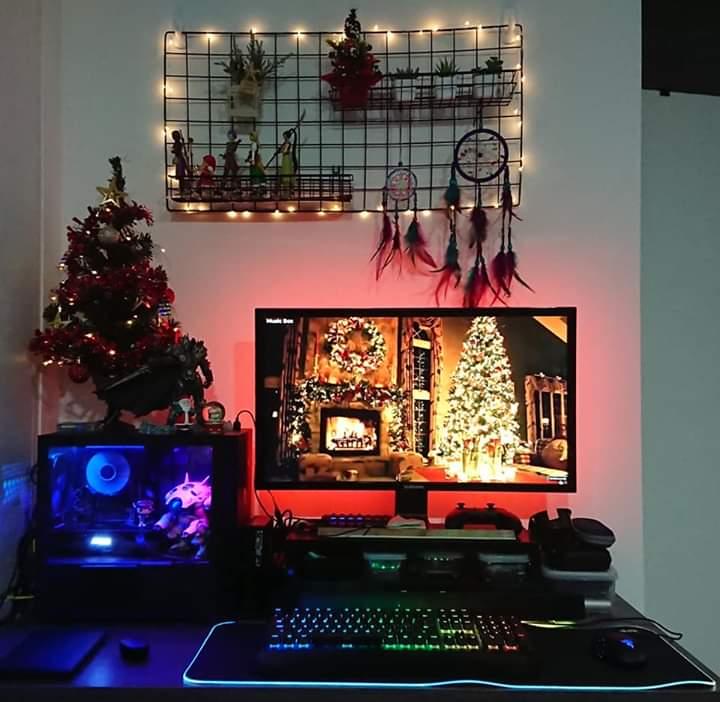
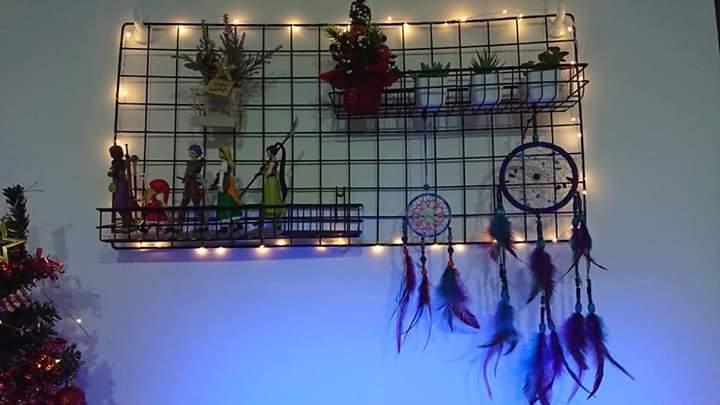
  1. Since Christmas is coming soon, so I thought i'd decorate my Computer area to make it a lil more festive lol. The wire mesh thingy and the wire shelves were from Daiso, and I hanged them up using 3 x 3M Hooks. RGB led strips i bought cheaply from online shopping sites. Decided to not have a traditional big xmas tree and change to a mini one because it takes up less space, easier to store, i think it looks cuter too lol. ? Christmas is the perfect excuse to let loose and enjoy an explosion of RGB rainbow colour don'tcha think? hahahaha ? Merry Christmas Everyone!! ?
This leaderboard is set to Singapore/GMT+08:00

Account

Navigation

Search

Search

Configure browser push notifications

Chrome (Android)
  1. Tap the lock icon next to the address bar.
  2. Tap Permissions → Notifications.
  3. Adjust your preference.
Chrome (Desktop)
  1. Click the padlock icon in the address bar.
  2. Select Site settings.
  3. Find Notifications and adjust your preference.