



ynwa88
Members
-
Joined
-
Last visited
-
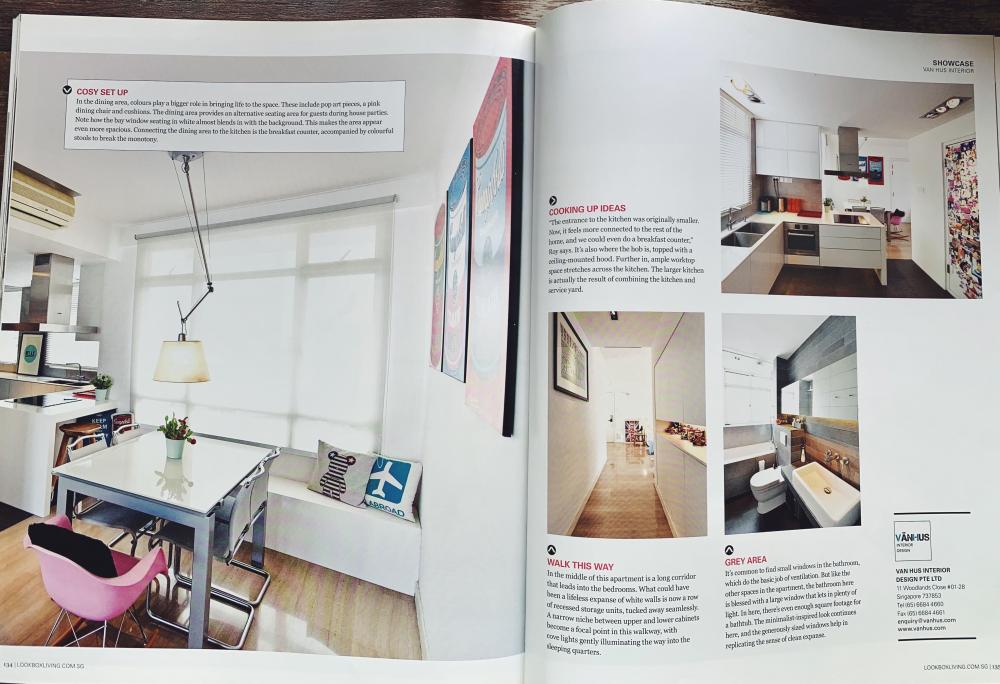
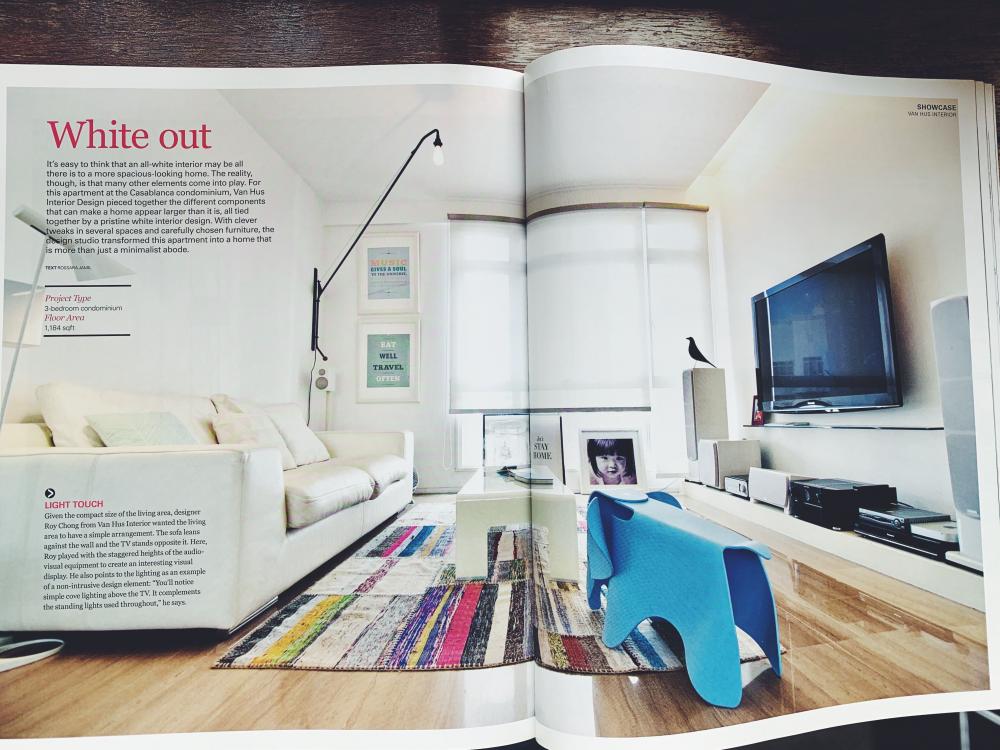
Saw my house featured on Lookbox Annual 2017 issue. ? My ID Roy setup his own company liao ?
-
-
Hi, thanks for liking my house. My ID: Roy Chong Contact no. 9062 4988 Happy Reno.
-
Hi, email sent. Happy Reno.
-
Email sent. Happy Reno!
-
-
Haha... Ya times fly, my house has been 3 years old...
-
Apologise for not reply to some members question and request. My ID is Roy Chong, contact 9062 4988 You can contact him for any id and renovation related question. He is very helpful guy. Thanks!
-
Hi, I have forwarded the quote to you. Hope it's help.
-
Hi, sorry for late reply. It's been long time not visit RT. The glossy laminate still like new. The matte laminate need to clean more frequent, all my cabinets still white after 3 years.
-
Hi, I got it from XZQT warehouse. The extendable table cost around 2.7K, chair cost around 250.
-
Hi, Please send your email to cheah_bb@yahoo.com, i will forward the quote to you. Cheers!
-
Hi all, I've sent the quote to you guys email address. Sorry that I may missed out some of the request and also sorry for the late reply.
-
Hi, thanks for compliment. The model i have is 14" (35cm) parchment diffuser
-
Hi, I maintain the house. I do not have maid. ^_^ Maybe bcoz I'm engineering guys, I know how to do 'PM' for the house. Hehee... Any my 4yrs old girl likes white, so she will not 'color' the house. hahaa...
