Skip to content
View in the app

A better way to browse. Learn more.

RenoTalk.com ™

A full-screen app on your home screen with push notifications, badges and more.

To install this app on iOS and iPadOS
  1. Tap the Share icon in Safari
  2. Scroll the menu and tap Add to Home Screen.
  3. Tap Add in the top-right corner.
To install this app on Android
  1. Tap the 3-dot menu (⋮) in the top-right corner of the browser.
  2. Tap Add to Home screen or Install app.
  3. Confirm by tapping Install.

Anyone Used K2Ld Builders

Featured Replies

Hi shorty,

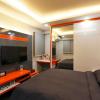
We engaged them for our 3 room full renovation works last year.

We appreciate their excellent services and workmanship provided.

They made our renovation journey a very smooth one and all works

are very well co-ordinated and supervised

Highly recommended. We have no regrets engaging them.

It's been over more than a year after renovating and everything still

looks great. :good:

  • Author

Hi shorty,

We engaged them for our 3 room full renovation works last year.

We appreciate their excellent services and workmanship provided.

They made our renovation journey a very smooth one and all works

are very well co-ordinated and supervised

Highly recommended. We have no regrets engaging them.

It's been over more than a year after renovating and everything still

looks great. :good:

Bro thanks for the reply....... Do you mind post some pics here? I consider using their service too....TIA

  • 3 weeks later...

they have facebook account where they post updates with their current works. Look for K2LD builders.

Create an account or sign in to comment

Account

Navigation

Search

Search

Configure browser push notifications

Chrome (Android)
  1. Tap the lock icon next to the address bar.
  2. Tap Permissions → Notifications.
  3. Adjust your preference.
Chrome (Desktop)
  1. Click the padlock icon in the address bar.
  2. Select Site settings.
  3. Find Notifications and adjust your preference.