




Skip to content
View in the app

A better way to browse. Learn more.

RenoTalk.com ™

A full-screen app on your home screen with push notifications, badges and more.

To install this app on iOS and iPadOS
  1. Tap the Share icon in Safari
  2. Scroll the menu and tap Add to Home Screen.
  3. Tap Add in the top-right corner.
To install this app on Android
  1. Tap the 3-dot menu (⋮) in the top-right corner of the browser.
  2. Tap Add to Home screen or Install app.
  3. Confirm by tapping Install.

Leaderboard

Popular Content

Showing content with the highest reputation on 02/02/14 in all areas

  1. Welcome to RT. Hope to see more update soon. ^^ Happy Lunar New Year
  2. Is your new flat along Yishun Avenue 9 that side? Mine house will be coming in 4th 2015.. **** stressed. Will be looking forward to your renov for tips and advices.
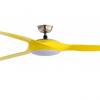
  3. Hi SiSi, U're most welcome.... N also THANK YOU for your support.... please PM me yr color of the fan that you need... I'm a FULLTIMER ..... I'm also dealing with downlights, ceiling lights, instant heaters...etc I've also PMed you liao... Dun forget my kopi ya... :dribble: Dun feel that way, glad that i'm able to help you out.... pal
This leaderboard is set to Singapore/GMT+08:00

Account

Navigation

Search

Search

Configure browser push notifications

Chrome (Android)
  1. Tap the lock icon next to the address bar.
  2. Tap Permissions → Notifications.
  3. Adjust your preference.
Chrome (Desktop)
  1. Click the padlock icon in the address bar.
  2. Select Site settings.
  3. Find Notifications and adjust your preference.