Skip to content
View in the app

A better way to browse. Learn more.

RenoTalk.com ™

A full-screen app on your home screen with push notifications, badges and more.

To install this app on iOS and iPadOS
  1. Tap the Share icon in Safari
  2. Scroll the menu and tap Add to Home Screen.
  3. Tap Add in the top-right corner.
To install this app on Android
  1. Tap the 3-dot menu (⋮) in the top-right corner of the browser.
  2. Tap Add to Home screen or Install app.
  3. Confirm by tapping Install.

Leaderboard

Popular Content

Showing content with the highest reputation on 03/03/16 in all areas

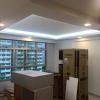
  1. I don't think is good to share the official quote here, but I will list down the items I do. Kitchen Cabinets up down both sides with marble top False ceiling for the whole living room and common areas 3 rooms fully cabinets with study desk and TV features wall in masterbed room Living room TV features wall will cabinets Entrance partition divided in between living room and main door. All lighting and electrical works included Full house painting and replacing the skirting to tiles Both toilet shower screen and cabinets. Total only $25k
This leaderboard is set to Singapore/GMT+08:00

Account

Navigation

Search

Search

Configure browser push notifications

Chrome (Android)
  1. Tap the lock icon next to the address bar.
  2. Tap Permissions → Notifications.
  3. Adjust your preference.
Chrome (Desktop)
  1. Click the padlock icon in the address bar.
  2. Select Site settings.
  3. Find Notifications and adjust your preference.