


Leaderboard
-
pearljam
Members1Points28Posts -
RyanYTH
Members1Points378Posts -
Suneeta Devi
Members1Points46Posts



Popular Content
Showing content with the highest reputation on 09/18/17 in all areas
-
Thanks Rufus. No worries I will be retaking the pictures with more angles. That entry blog pictures will be changed to better quality ones. For TV, while a 65 inch can fit, the border around it is going to be very thin (Around 1cm) which will make overall look abit funny. I've opted for 55inch which will look much more uniform. DB Box is indeed bad design to put in living room. The max length of study table that I can comfortably put is 1.2m only. Anymore and it will protrude too much. And because I'm putting my computer table there, I will need to remove DB Box door as I won't be able to open it if my table is there. Jason say can change it to Sliding door type so I'm ok. Bedroom sliding door is terrible! If you get yours, I'm sure u will also want to remove.it's bulky, takes up precious space and it smells bad ughhh. I will be making a post complete with masking tape markings to illustrate what I mean.1 point
-
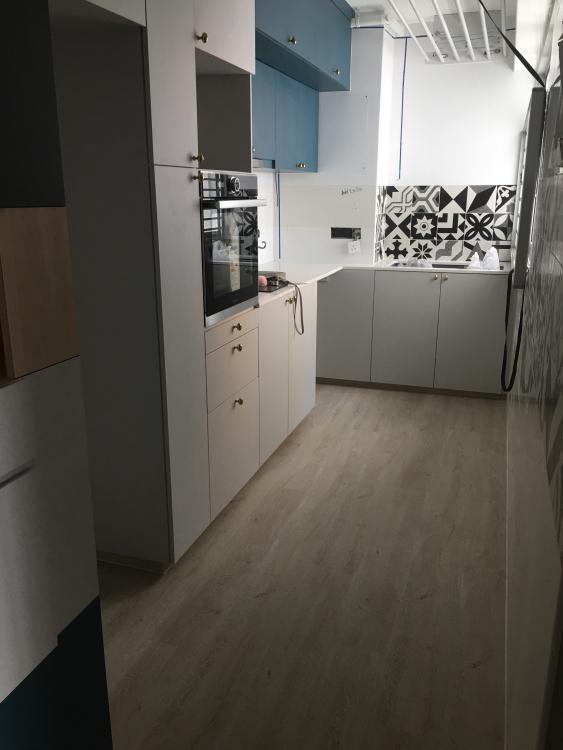
1 pointHmmm I don't think he did actually! Well I won't be using the hood much it's largely for show - I did buy an extended 4 year warranty though because my last house the hood was the first to go. You can see the kitchen attached. Also a photo of it in progress, if it helps. Mmmoh my flat is almost ready! Lighting installation plus my WC is left.
 1 point
-
1 point
This leaderboard is set to Singapore/GMT+08:00