


Leaderboard
-
andotang
Members1Points405Posts

Popular Content
Showing content with the highest reputation on 07/24/18 in all areas
-
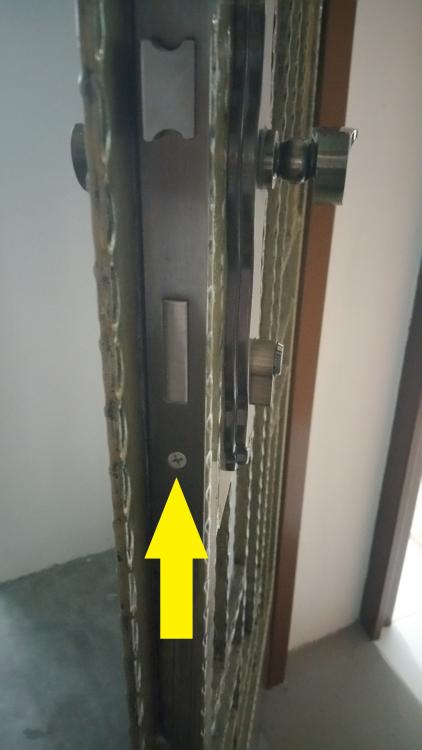
Sorry for the late reply as I took some time to take a new picture as I feel picture speaks a thousand words. Metal gate cylinder is slightly more tricky then main door as the locking piston is always protruding out. You need a philips head screw driver and your metal gate key. First you unscrew just 1 screw as pointed by the yellow arrow in the pic. Now this pic show the cylinder for metal gate and main door, you see the locking piston is protruding out by default whereas main door is seamlessly blend in. So you need to use your metal gate key to turn the locking piston and wiggle the cylinder out, just apply little force to pull the cylinder out while turning your gate key will do. You can take out this cylinder then lock your door with your normal padlock then use this sample to go buy your cylinder from Homefix or duro headoffice.
 1 point
This leaderboard is set to Singapore/GMT+08:00