Skip to content
View in the app

A better way to browse. Learn more.

RenoTalk.com ™

A full-screen app on your home screen with push notifications, badges and more.

To install this app on iOS and iPadOS
  1. Tap the Share icon in Safari
  2. Scroll the menu and tap Add to Home Screen.
  3. Tap Add in the top-right corner.
To install this app on Android
  1. Tap the 3-dot menu (⋮) in the top-right corner of the browser.
  2. Tap Add to Home screen or Install app.
  3. Confirm by tapping Install.

Leaderboard

Popular Content

Showing content with the highest reputation on 07/30/20 in all areas

  1. It has been more than 2 years since my last update. Recently I painted the recess area of the wall in my master bedroom to make it like a feature wall.
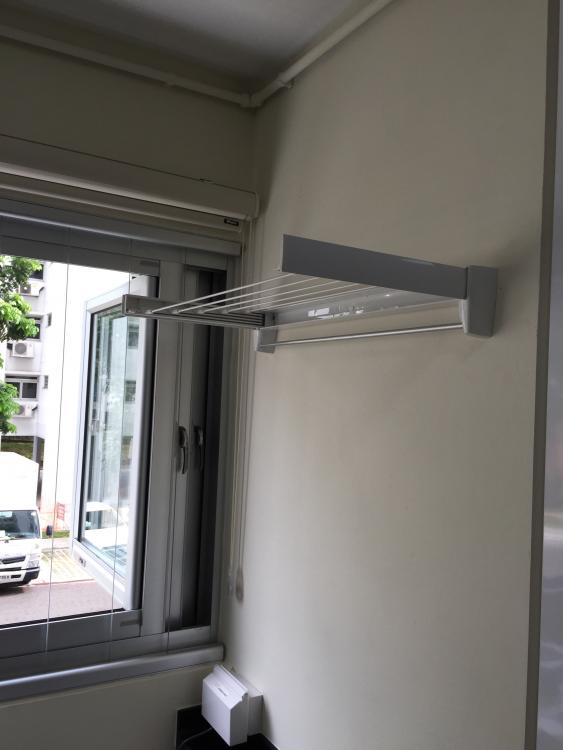
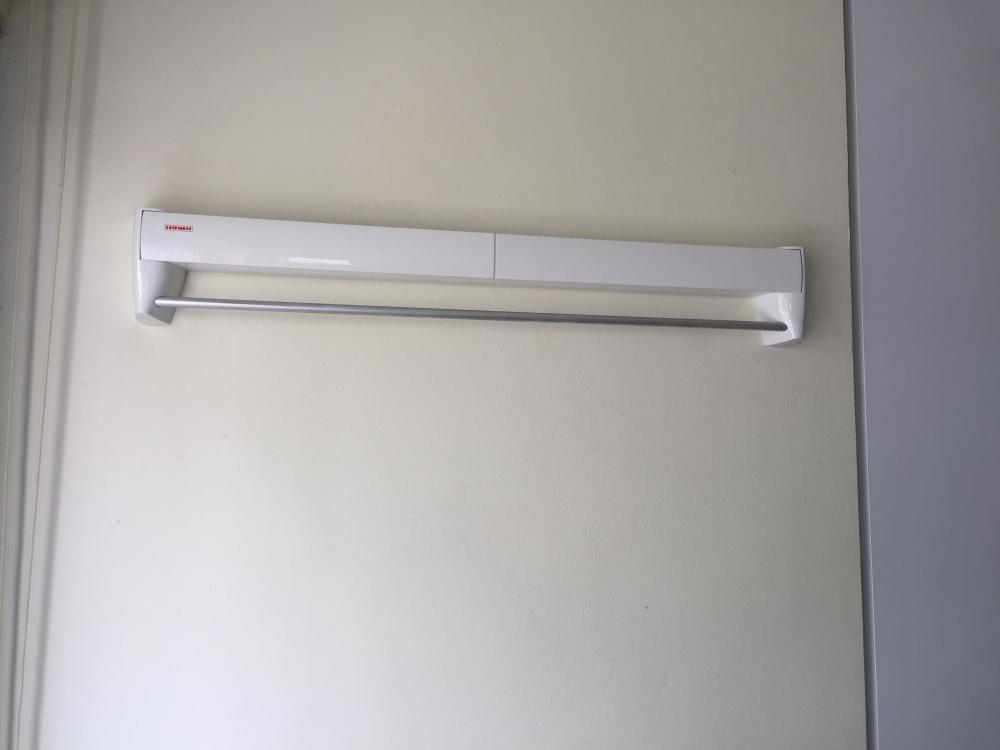
  2. As the old drying rack on the ceiling has been removed, I installed a foldaway drying rack in the kitchen. This drying rack has a total length 4.2m of clothes hanging line. But it is not strong enough to hold heavy clothes like wet jeans. Do take note that kitchen windows have been changed to Bestview windows with invisible grille to bring in more sunlight.
This leaderboard is set to Singapore/GMT+08:00

Account

Navigation

Search

Search

Configure browser push notifications

Chrome (Android)
  1. Tap the lock icon next to the address bar.
  2. Tap Permissions → Notifications.
  3. Adjust your preference.
Chrome (Desktop)
  1. Click the padlock icon in the address bar.
  2. Select Site settings.
  3. Find Notifications and adjust your preference.